Azure 模型路由器
Azure Model Router 是 Azure AI Foundry 中的一項功能,會根據您的需求,自動將您的請求路由到可用的最佳模型。這讓您可以使用單一端點,為每個請求智慧地選擇最佳模型。
快速開始
模型模式: azure_ai/model_router/<deployment-name>
import litellm

response = litellm.completion(
    model="azure_ai/model_router/model-router",  # Replace with your deployment name
    messages=[{"role": "user", "content": "Hello!"}],
    api_base="https://your-endpoint.cognitiveservices.azure.com/openai/v1/",
    api_key="your-api-key",
)
Proxy 設定 (config.yaml):
model_list:
  - model_name: model-router
    litellm_params:
      model: azure_ai/model_router/model-router
      api_base: https://your-endpoint.cognitiveservices.azure.com/openai/deployments/model-router/chat/completions?api-version=2025-01-01-preview
      api_key: your-api-key
主要功能
- 自動模型選擇:Azure Model Router 會動態為您的請求選擇最佳模型
- 成本追蹤:LiteLLM 會根據實際使用的模型(例如,
gpt-5.6-luna)以及 Model Router 基礎架構費用,自動追蹤成本 - 串流支援:完整支援串流回應並可精確計算成本
- 簡單設定:可透過 UI 或設定檔輕鬆完成設定
模型命名模式
使用以下模式:azure_ai/model_router/<deployment-name>
元件:
azure_ai- 提供者識別碼model_router- 表示這是 Model Router 部署<deployment-name>- 您在 Azure AI Foundry 中的實際部署名稱(例如,azure-model-router)
範例: azure_ai/model_router/azure-model-router
運作方式:
- LiteLLM 在傳送請求到 Azure 時,會自動移除
model_router/前綴 - 只會將您的部署名稱(例如,
azure-model-router)傳送到 Azure API - 完整路徑會保留在回應與記錄中,以便正確追蹤成本
LiteLLM Python SDK
基本用法
使用 azure_ai/model_router/<deployment-name> 模式,其中 <deployment-name> 是您的 Azure 部署名稱:
import litellm
import os

response = litellm.completion(
    model="azure_ai/model_router/azure-model-router",  # Use your deployment name
    messages=[{"role": "user", "content": "Hello!"}],
    api_base="https://your-endpoint.cognitiveservices.azure.com/openai/v1/",
    api_key=os.getenv("AZURE_MODEL_ROUTER_API_KEY"),
)

print(response)
模式說明:
azure_ai- 提供者model_router- 表示這是 model router 部署azure-model-router- 您在 Azure AI Foundry 中的實際部署名稱
LiteLLM 在將請求傳送至 Azure 時,會自動移除 model_router/ 前綴,因此只會將 azure-model-router 傳送到 API。
帶有用量追蹤的串流
import litellm
import os

response = await litellm.acompletion(
    model="azure_ai/model_router/azure-model-router",  # Use your deployment name
    messages=[{"role": "user", "content": "hi"}],
    api_base="https://your-endpoint.cognitiveservices.azure.com/openai/v1/",
    api_key=os.getenv("AZURE_MODEL_ROUTER_API_KEY"),
    stream=True,
    stream_options={"include_usage": True},
)

async for chunk in response:
    print(chunk)
LiteLLM Proxy(AI Gateway)
config.yaml
model_list:
  - model_name: azure-model-router  # Public name for your users
    litellm_params:
      model: azure_ai/model_router/azure-model-router  # Use your deployment name
      api_base: https://your-endpoint.cognitiveservices.azure.com/openai/v1/
      api_key: os.environ/AZURE_MODEL_ROUTER_API_KEY
注意: 請將模型路徑中的 azure-model-router 替換為您在 Azure AI Foundry 中的實際部署名稱。
啟動 Proxy
litellm --config config.yaml
測試請求
curl -X POST http://localhost:4000/chat/completions \
  -H "Content-Type: application/json" \
  -H "Authorization: Bearer $LITELLM_API_KEY" \
  -d '{
    "model": "azure-model-router",
    "messages": [{"role": "user", "content": "Hello!"}]
  }'
透過 LiteLLM UI 新增 Azure Model Router
本流程說明如何使用 Admin Dashboard 將 Azure Model Router 端點新增至 LiteLLM。
快速開始
- 前往 LiteLLM UI 中的 Models 頁面
- 將 "Azure AI Foundry (Studio)" 選為提供者
- 輸入您的部署名稱(例如,
azure-model-router) - LiteLLM 會自動將其格式化為
azure_ai/model_router/azure-model-router - 新增您的 API base URL 與 API 金鑰
- 測試並儲存
詳細操作說明
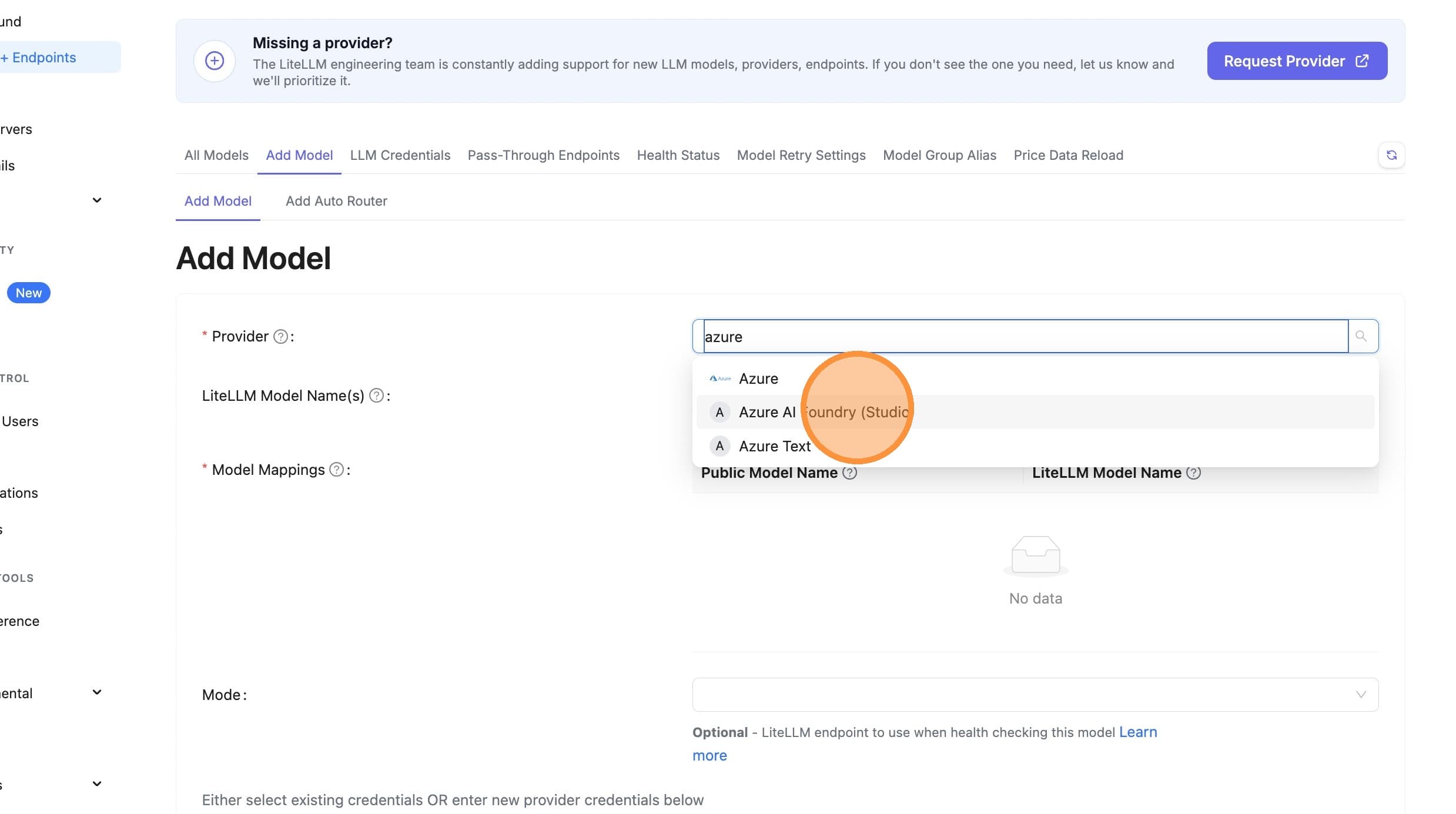
步驟 1:選擇提供者
前往 Models 頁面,並將「Azure AI Foundry (Studio)」選為提供者。
前往 Models 頁面
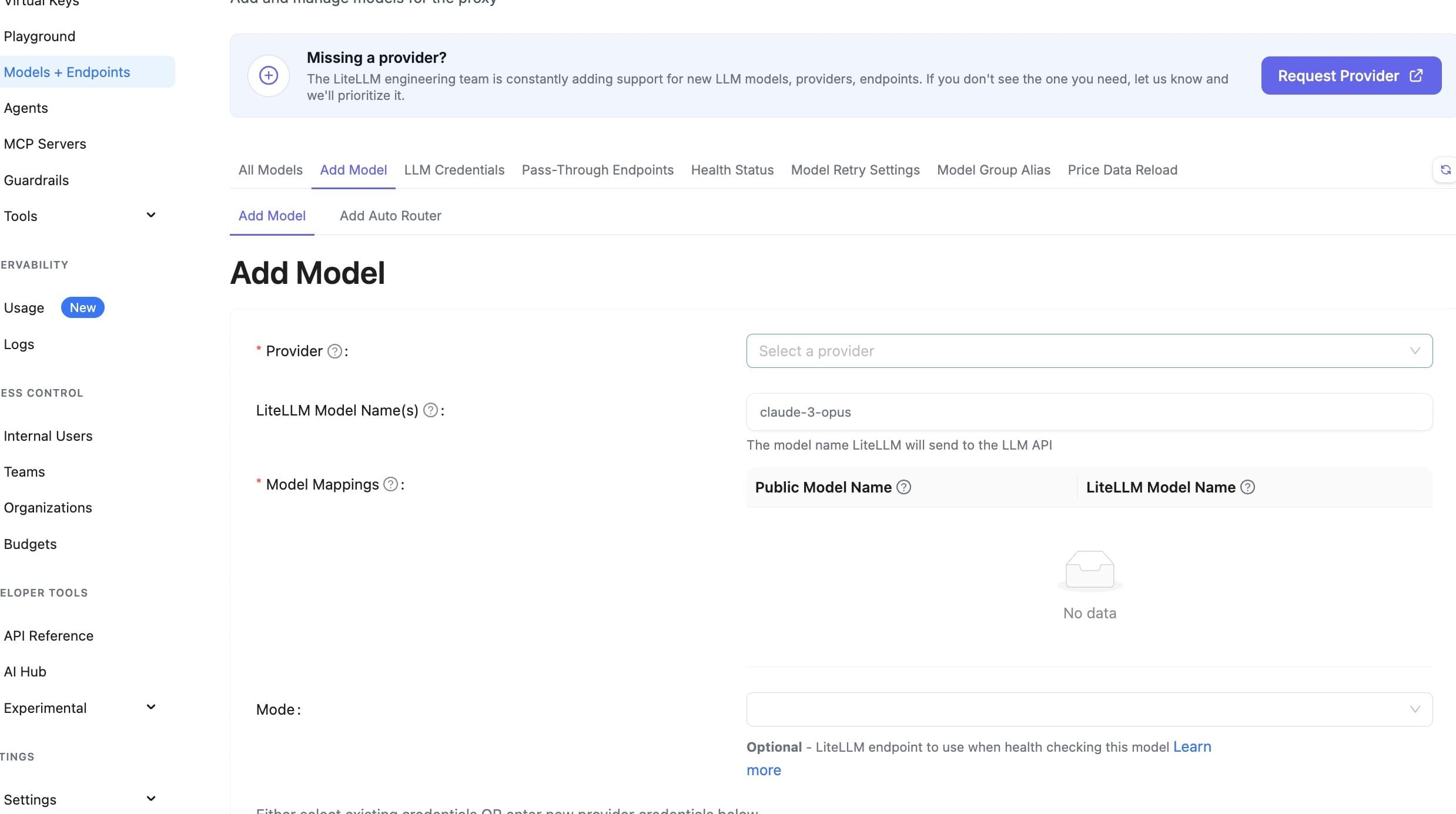
點擊提供者下拉選單
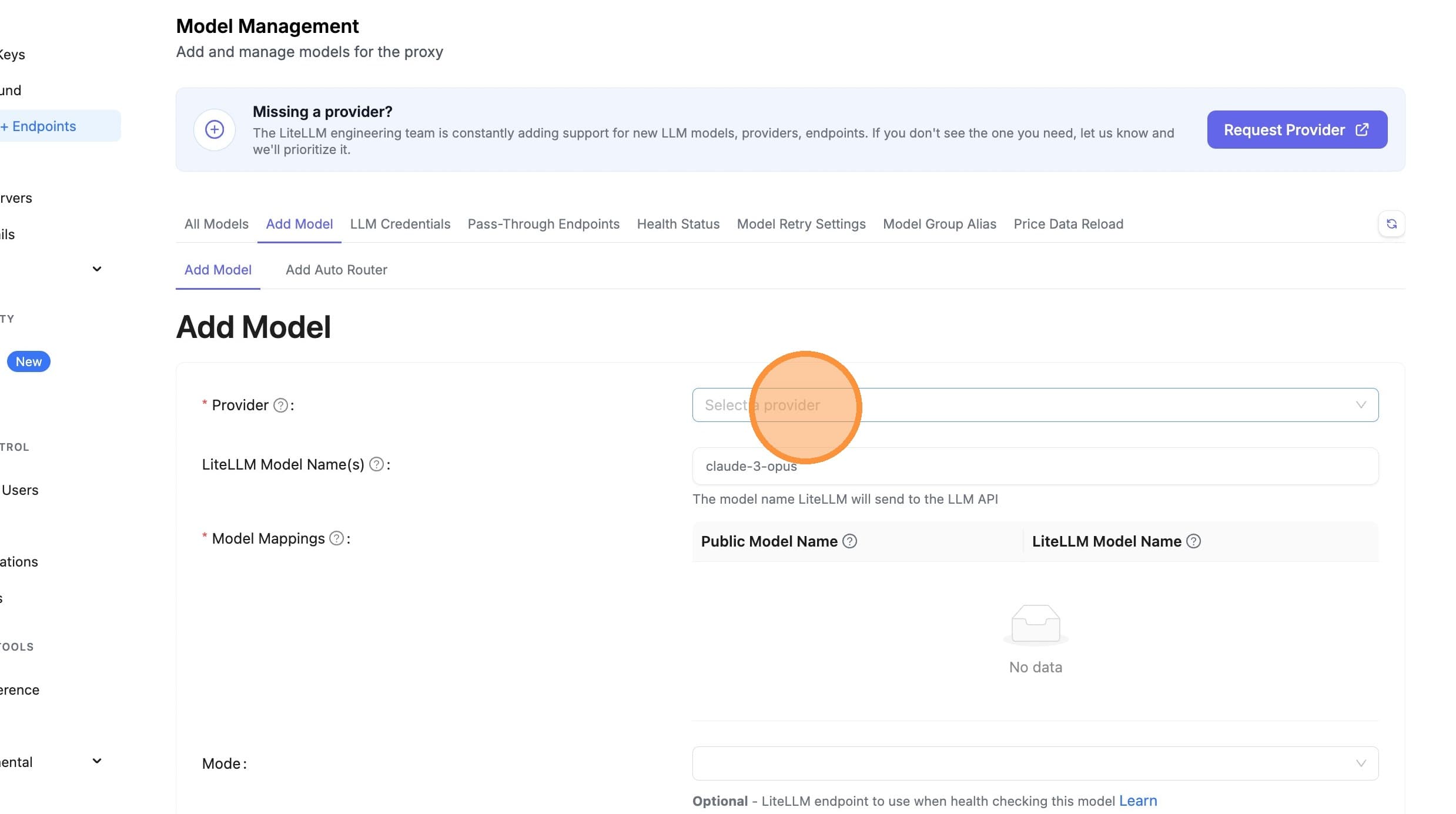
選擇 Azure AI Foundry
步驟 2:輸入部署名稱
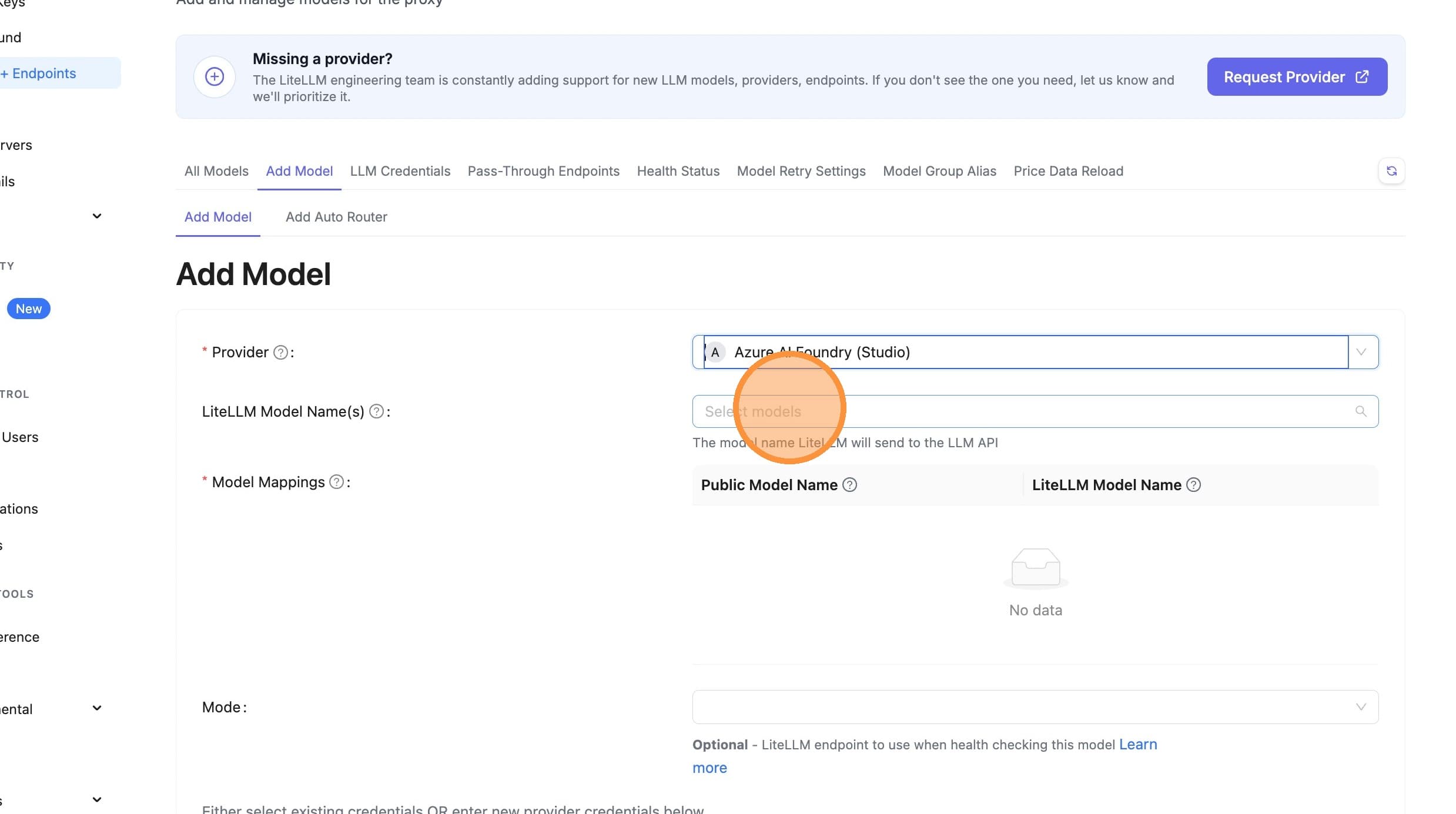
新的簡化方式: 直接在文字欄位輸入您的部署名稱即可。如果您的部署名稱包含「model-router」或「model_router」,LiteLLM 會自動將其格式化為 azure_ai/model_router/<deployment-name>。
範例:
- 輸入:
azure-model-router - LiteLLM 建立:
azure_ai/model_router/azure-model-router
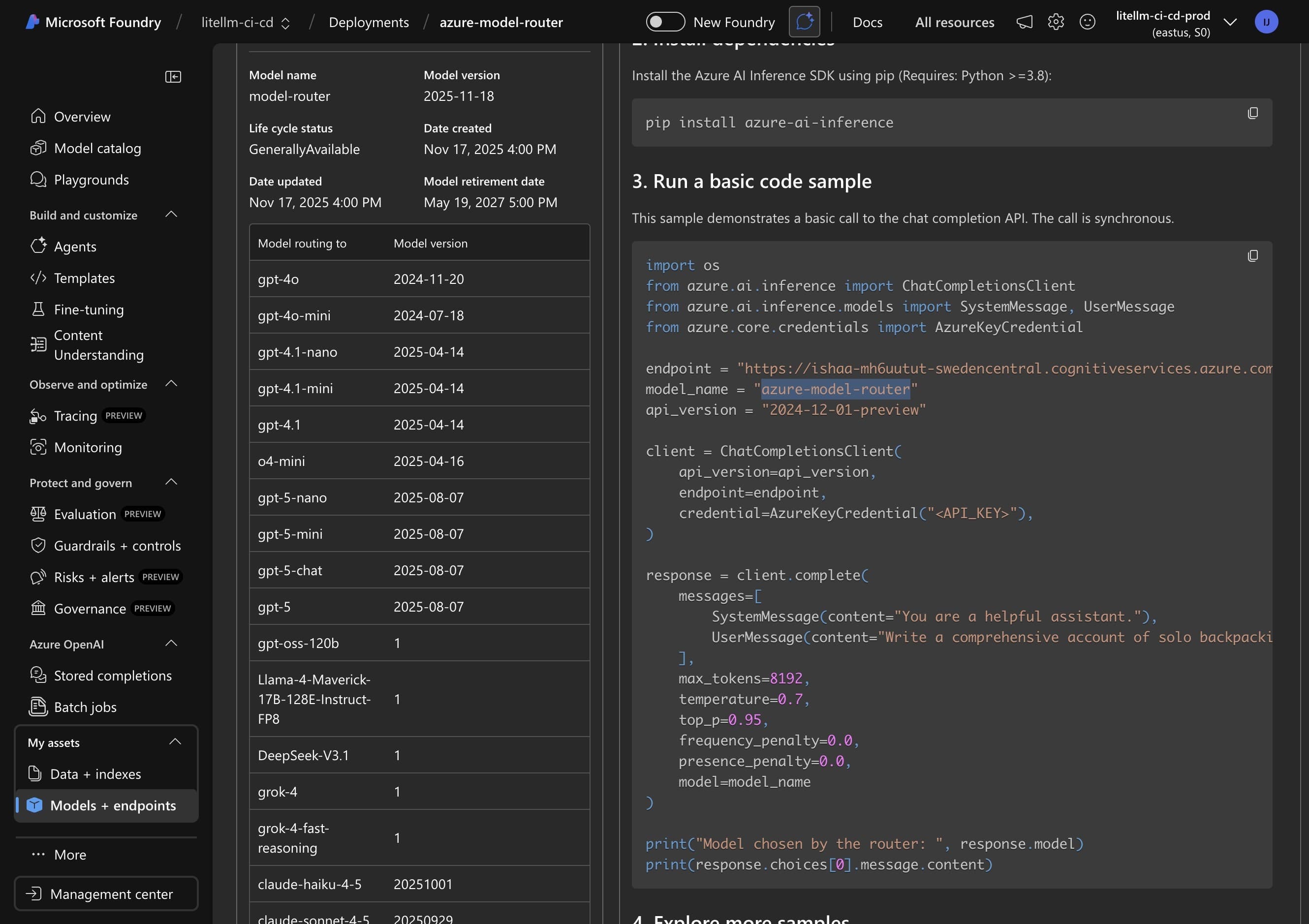
從 Azure 入口網站複製部署名稱
切換到 Azure AI Foundry,並複製您的 model router 部署名稱。
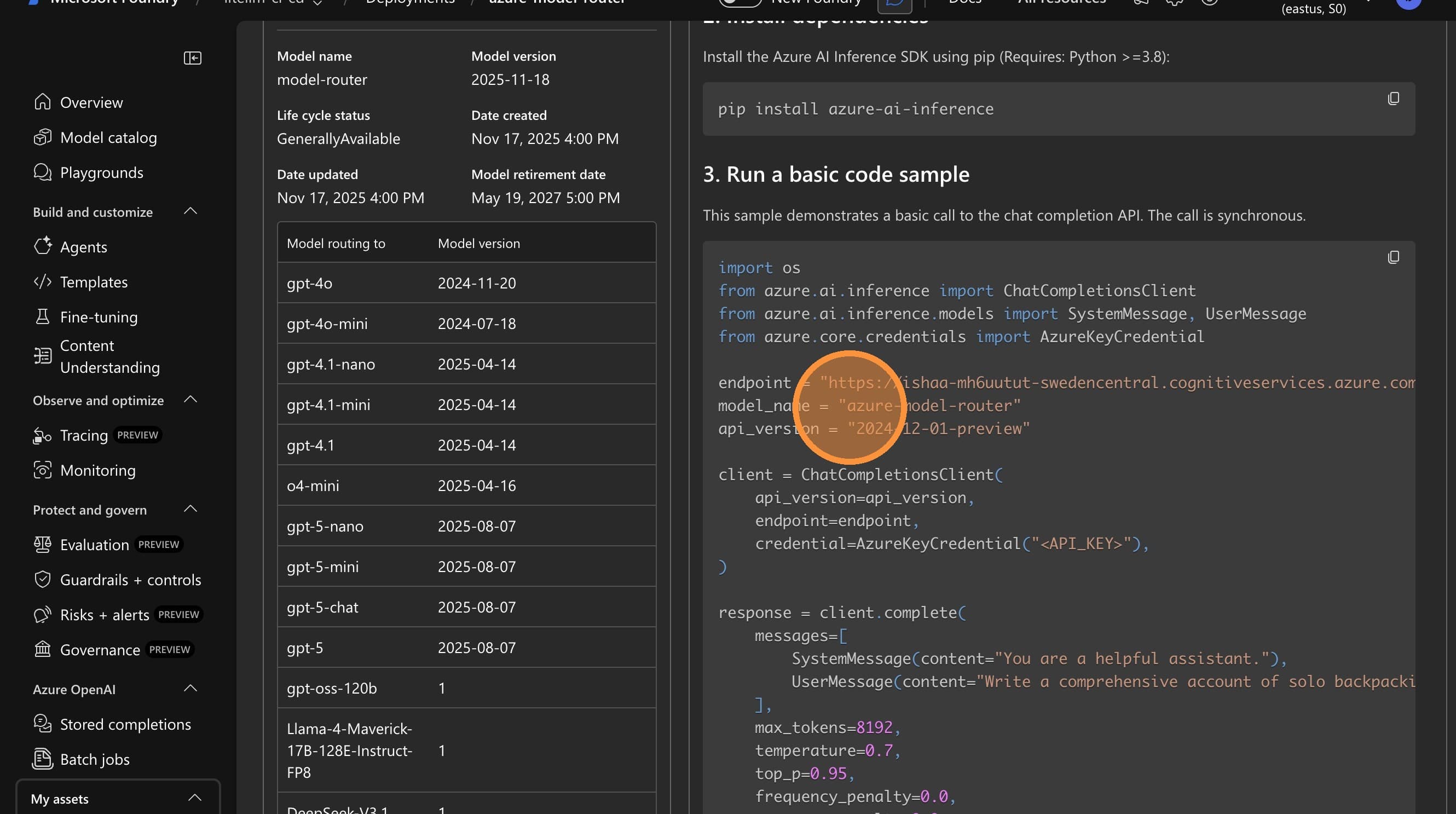
在 LiteLLM 中輸入部署名稱
將您的部署名稱(例如,azure-model-router)直接貼到文字欄位中。
幕後發生的事:
- 您輸入:
azure-model-router - LiteLLM 會自動偵測這是 model router 部署
- 完整模型路徑會變成:
azure_ai/model_router/azure-model-router - 發出 API 呼叫時,只會將
azure-model-router傳送到 Azure
步驟 3:設定 API Base 與金鑰
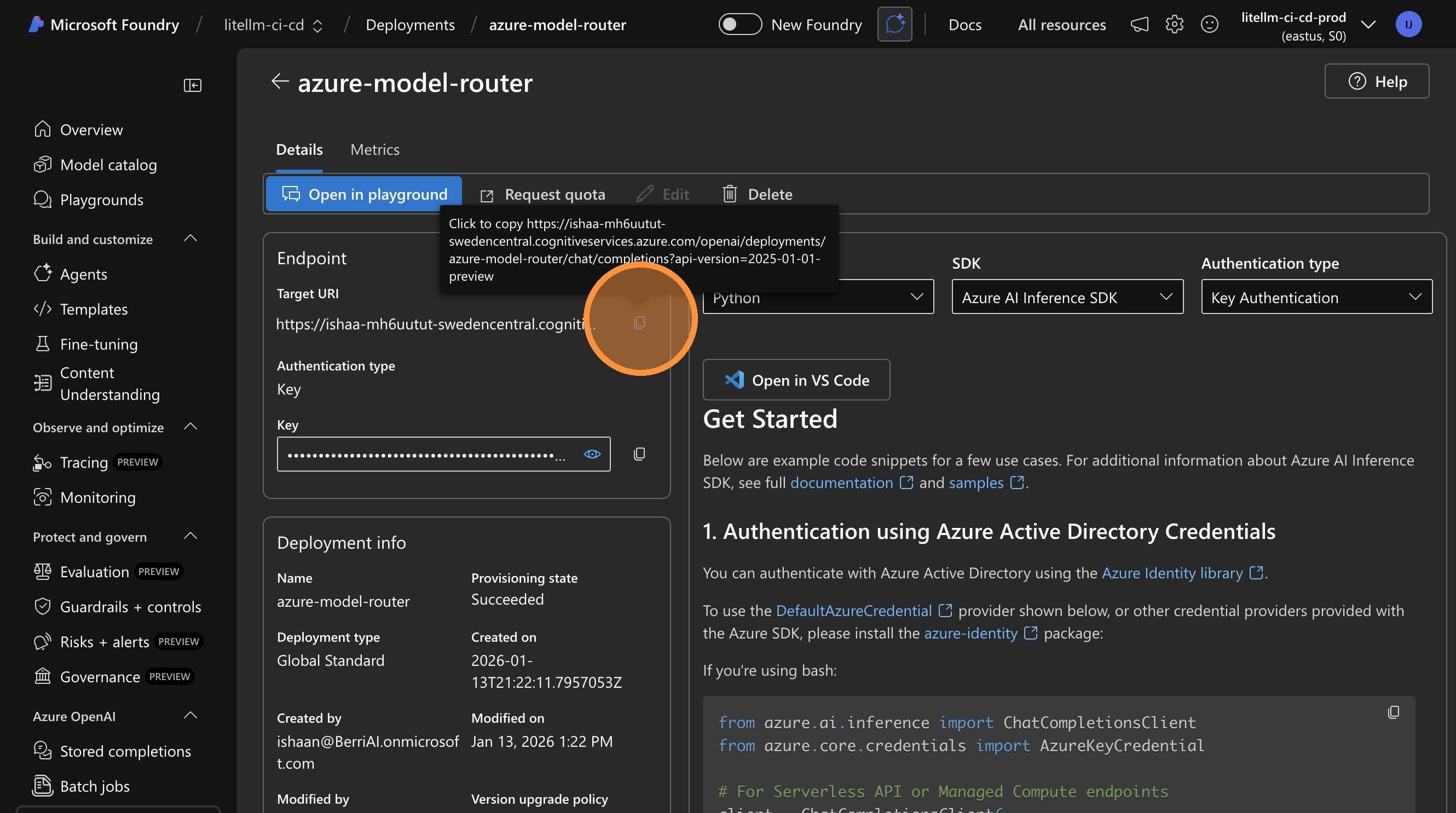
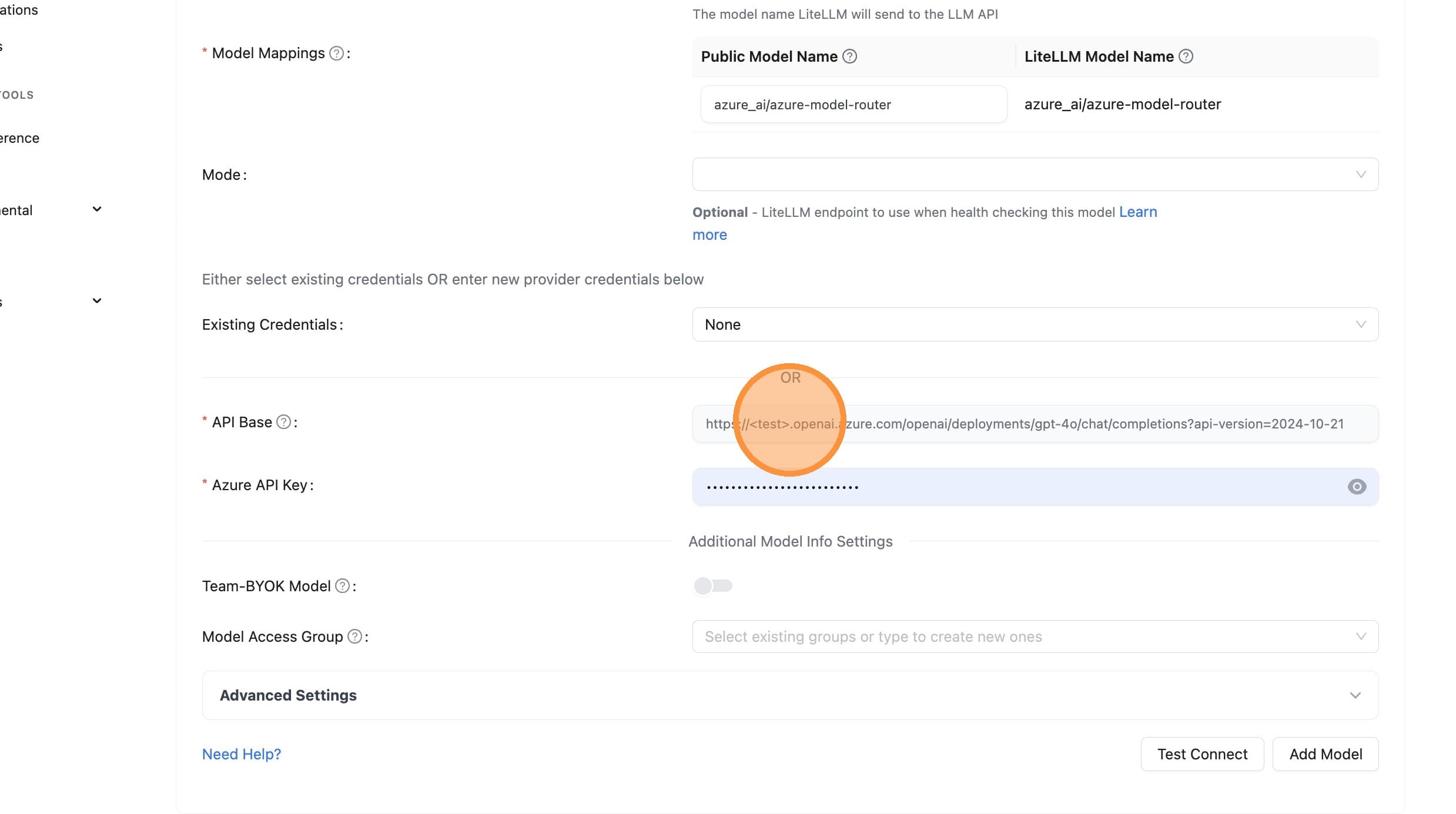
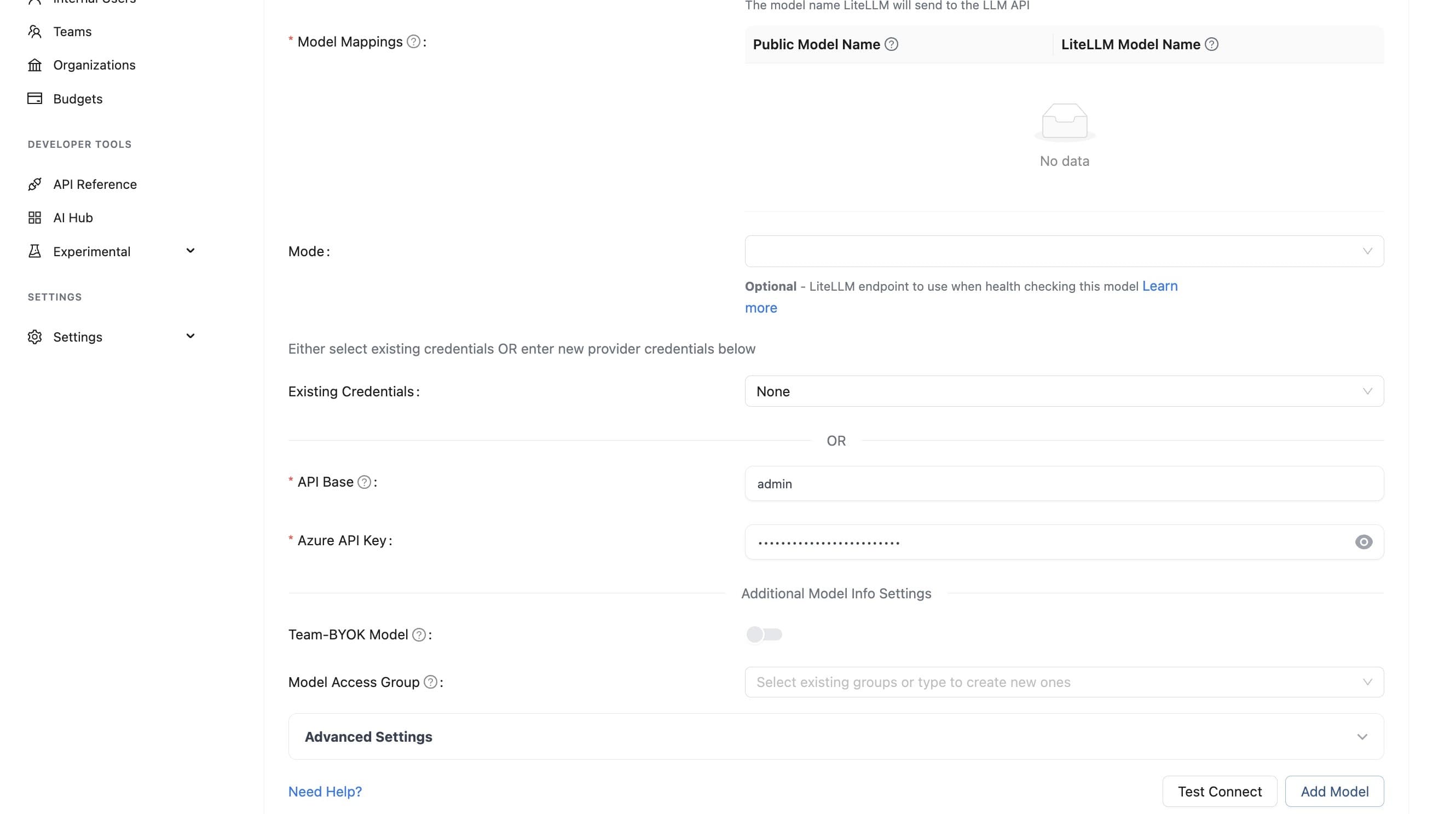
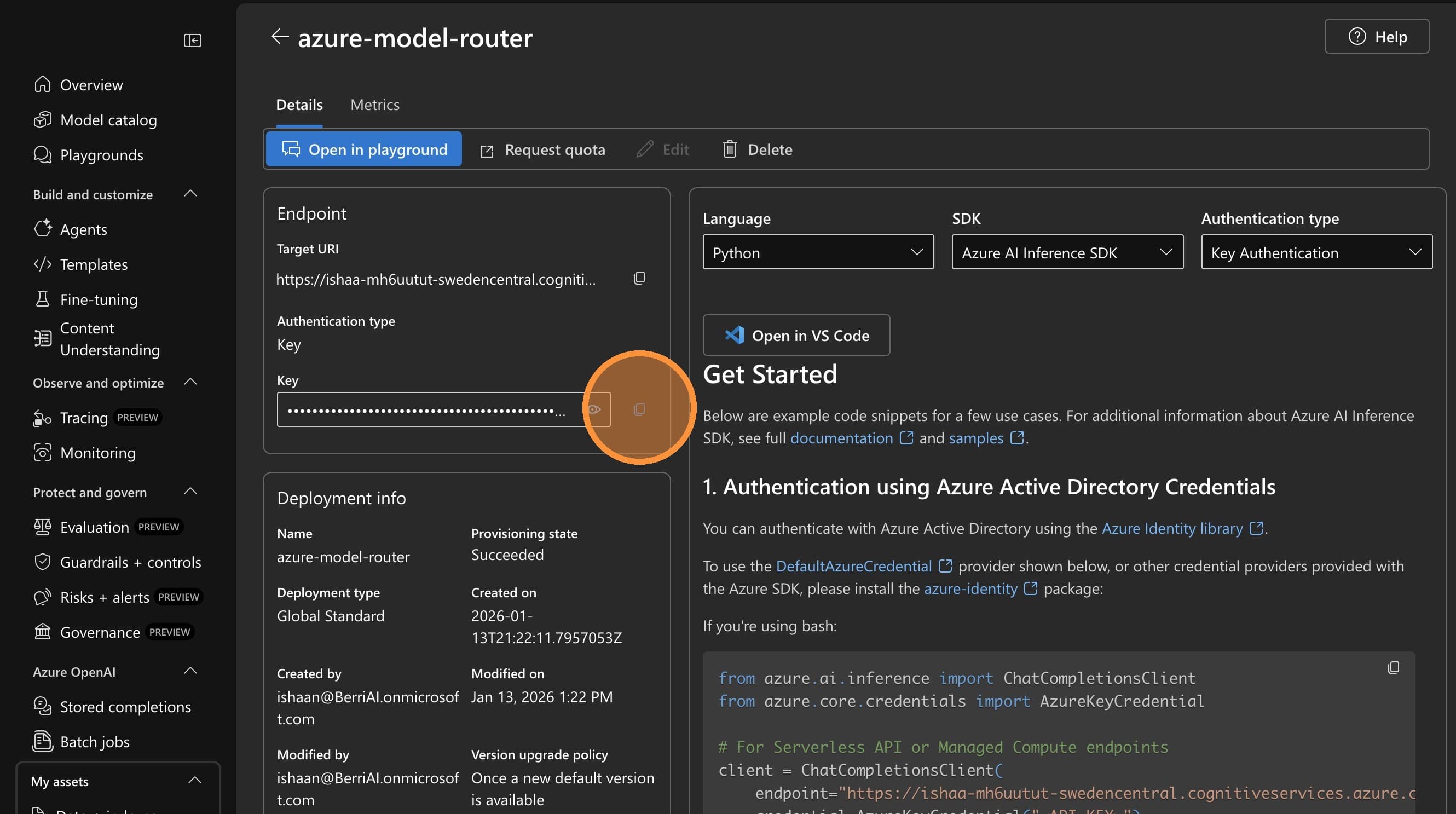
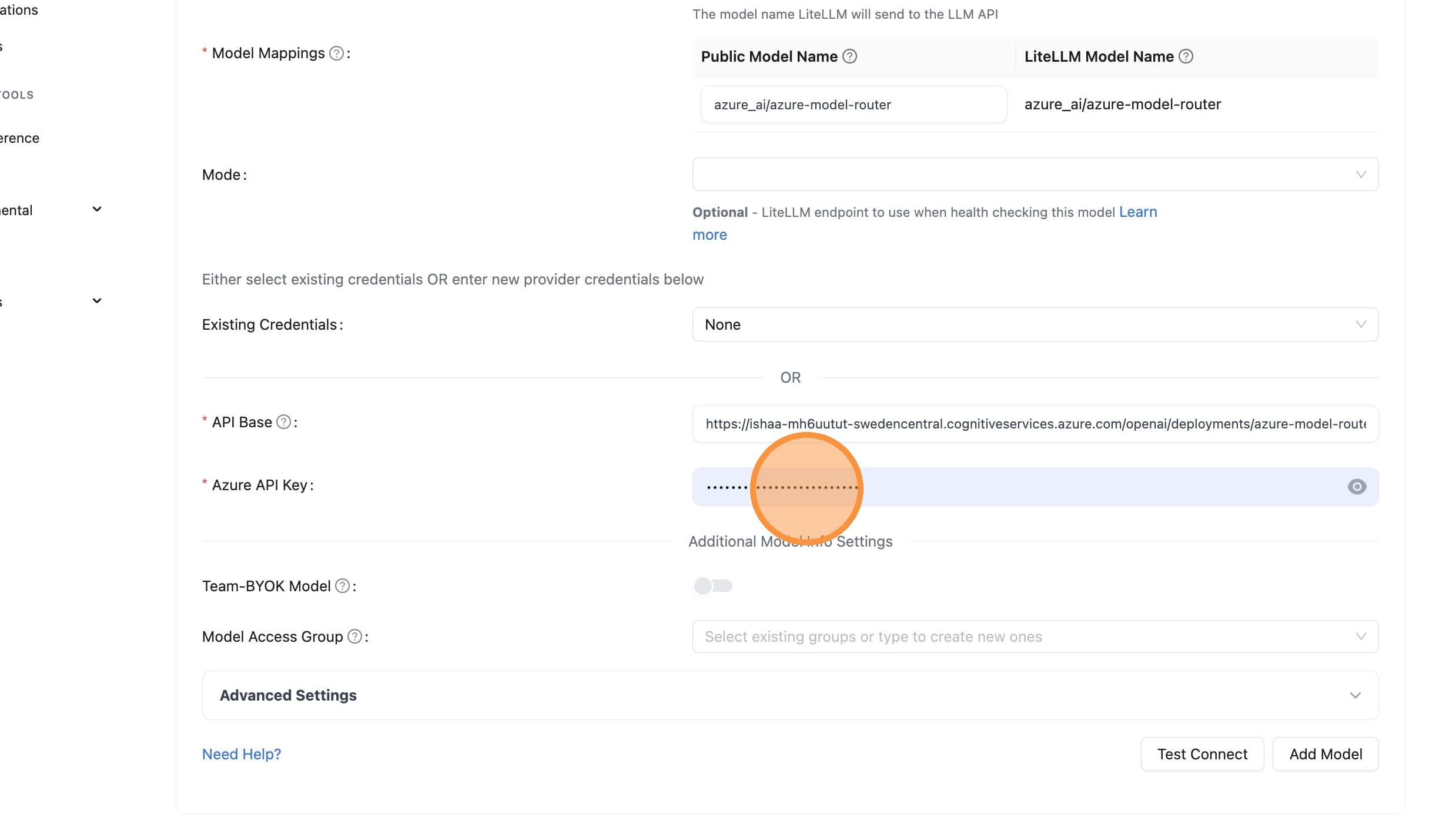
從 Azure 入口網站複製端點 URL 與 API 金鑰。
從 Azure 複製 API Base URL
在 LiteLLM 中輸入 API Base
從 Azure 複製 API 金鑰
在 LiteLLM 中輸入 API 金鑰
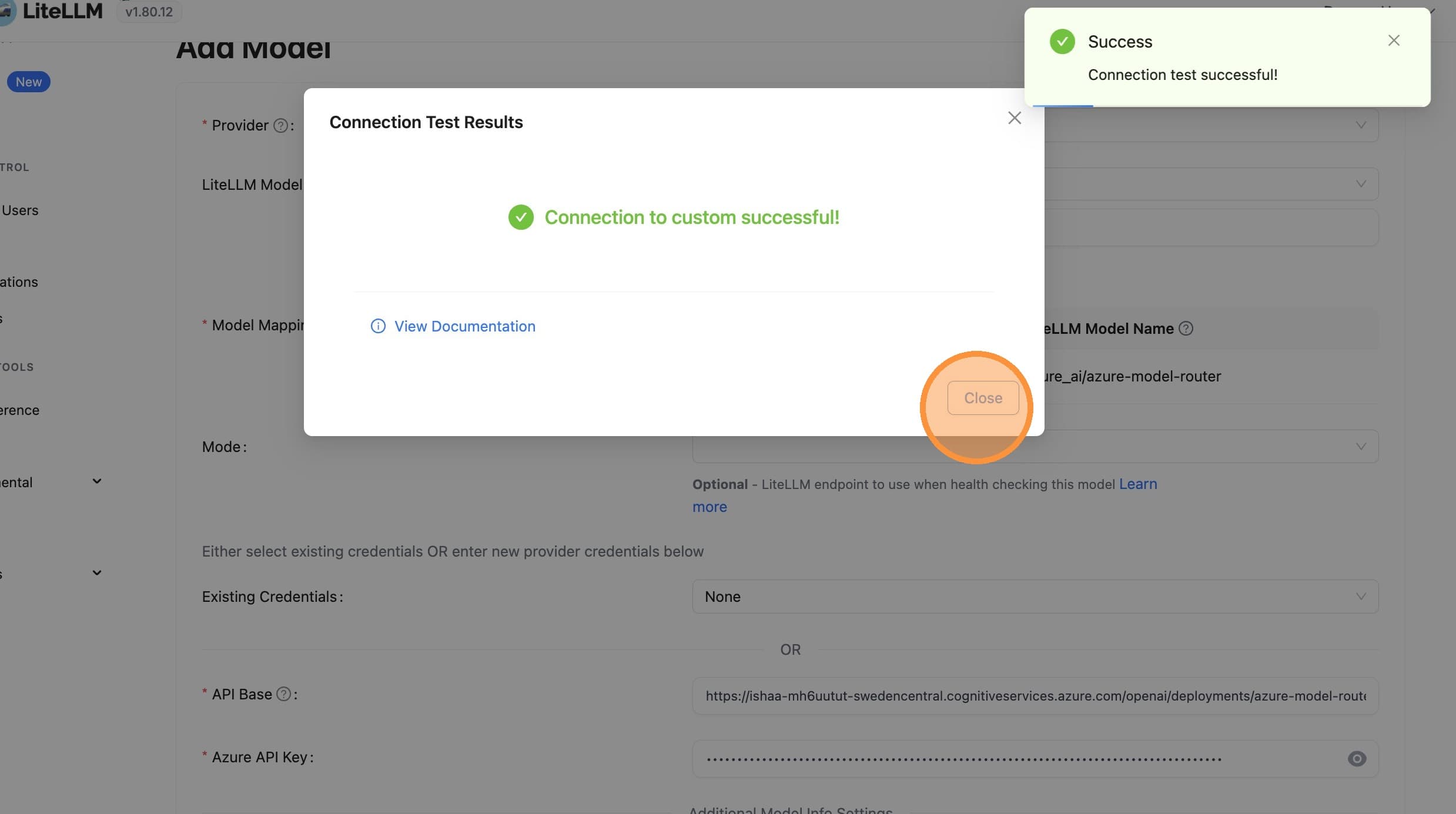
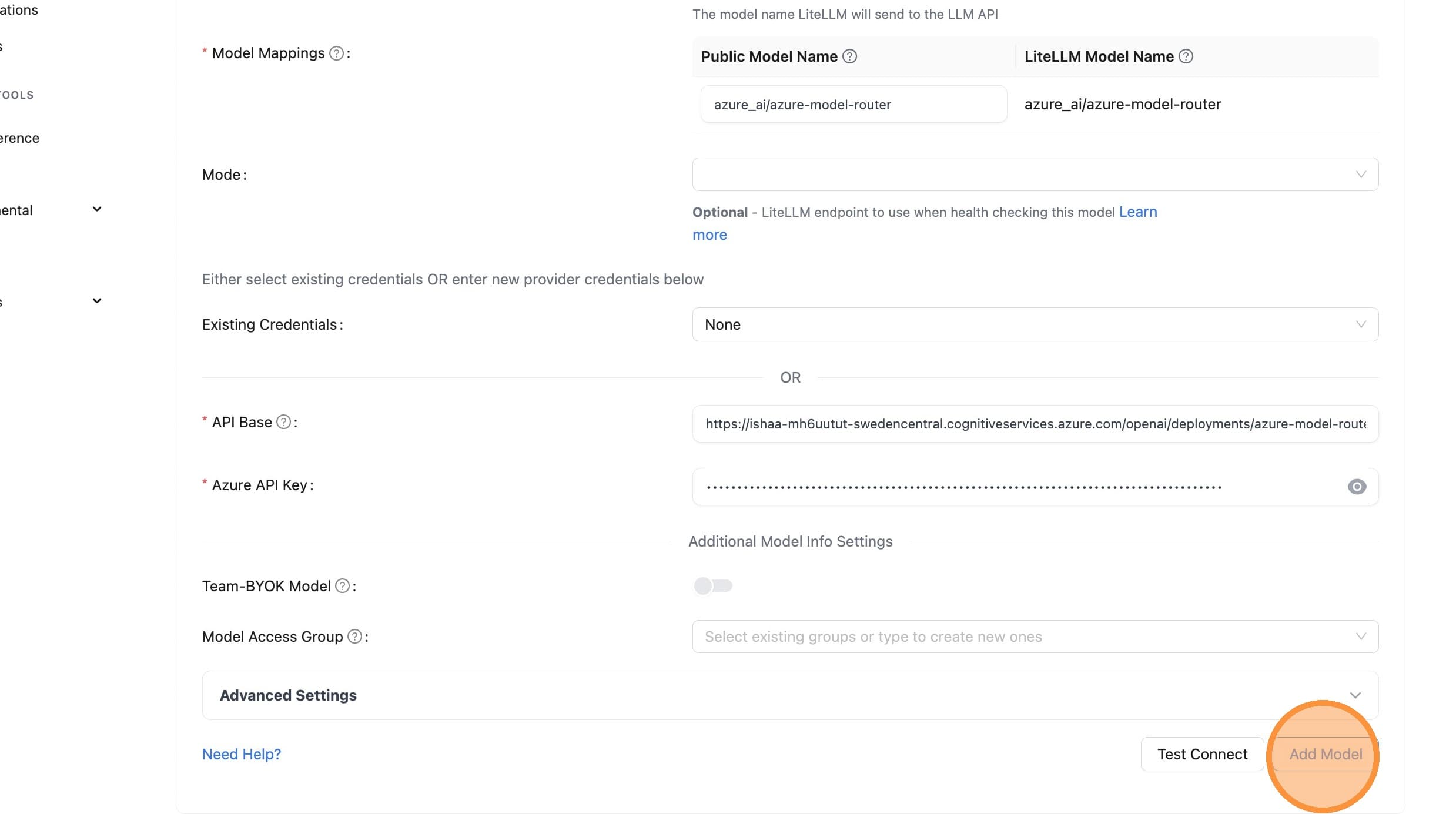
步驟 4:測試並新增模型
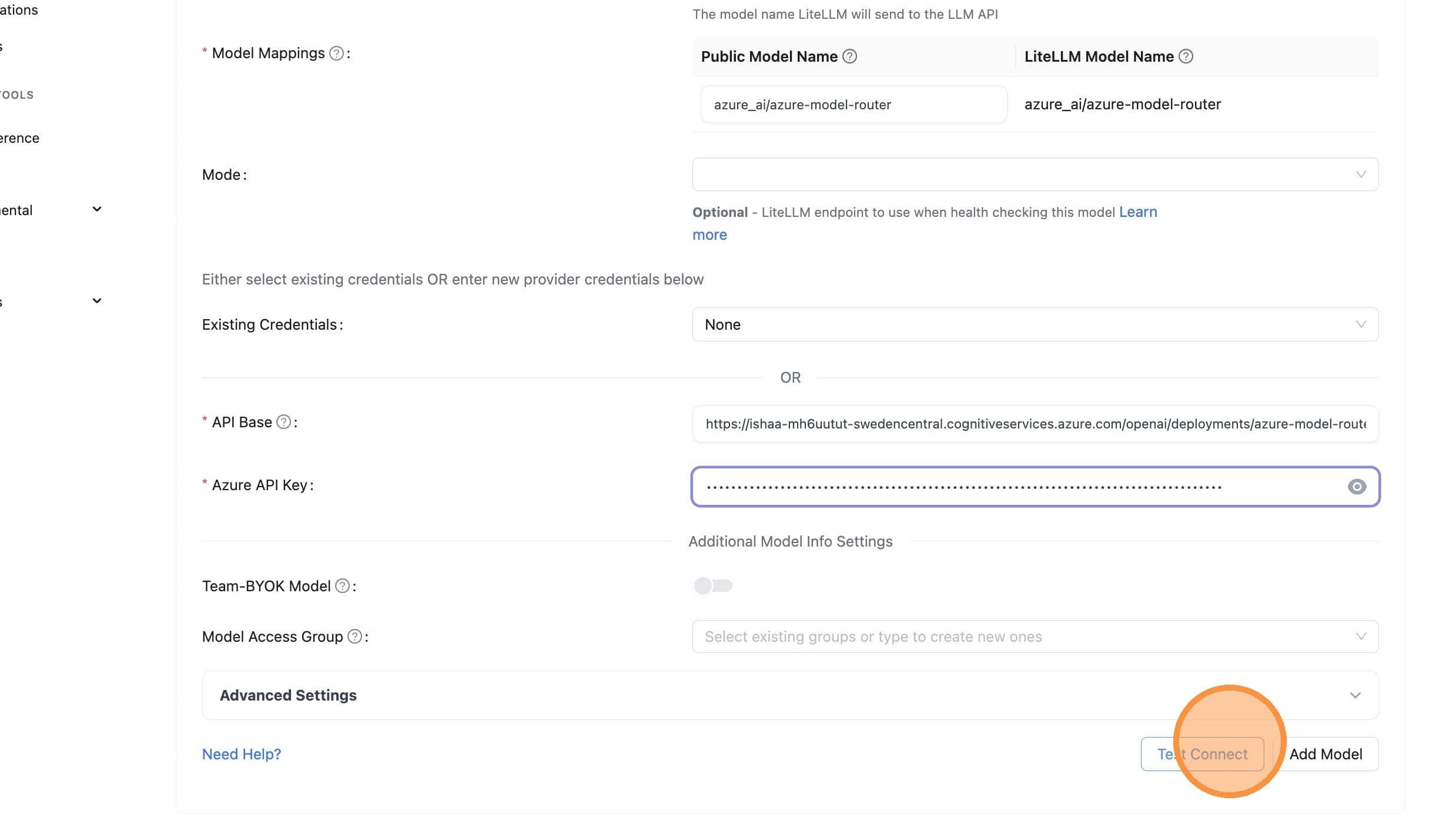
驗證您的設定可正常運作,然後儲存模型。
測試連線
關閉測試對話框
新增模型
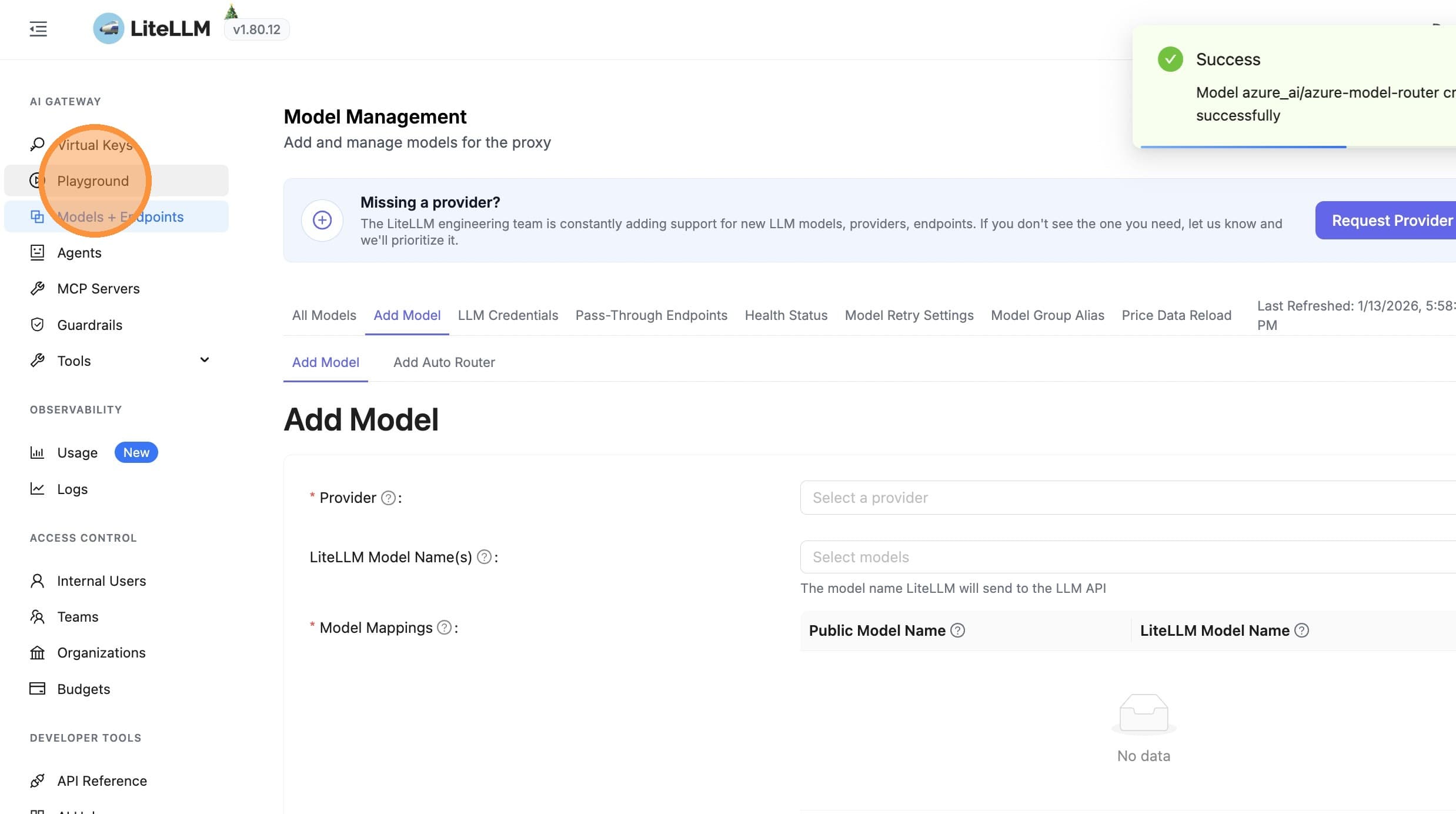
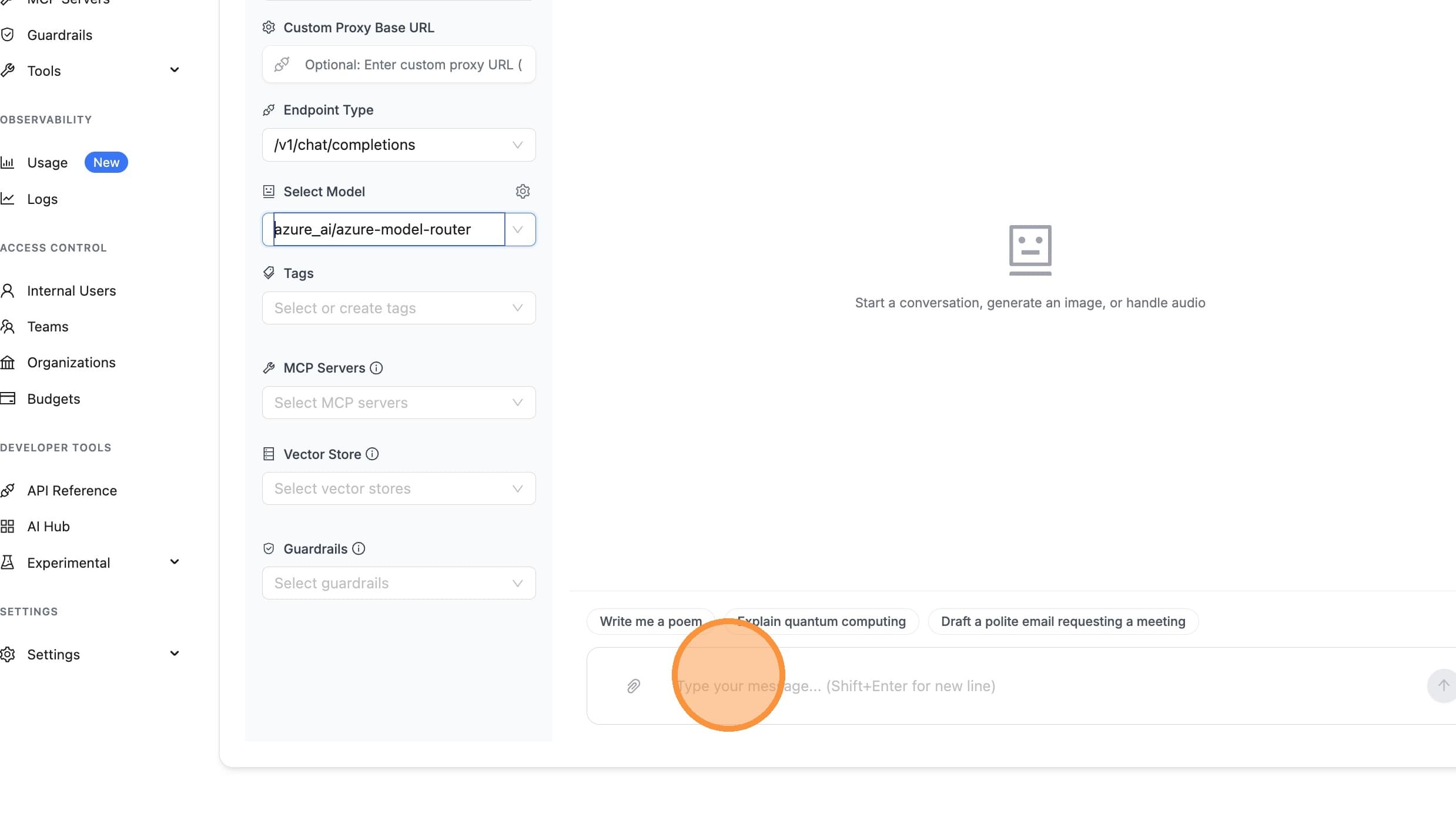
步驟 5:在 Playground 中驗證
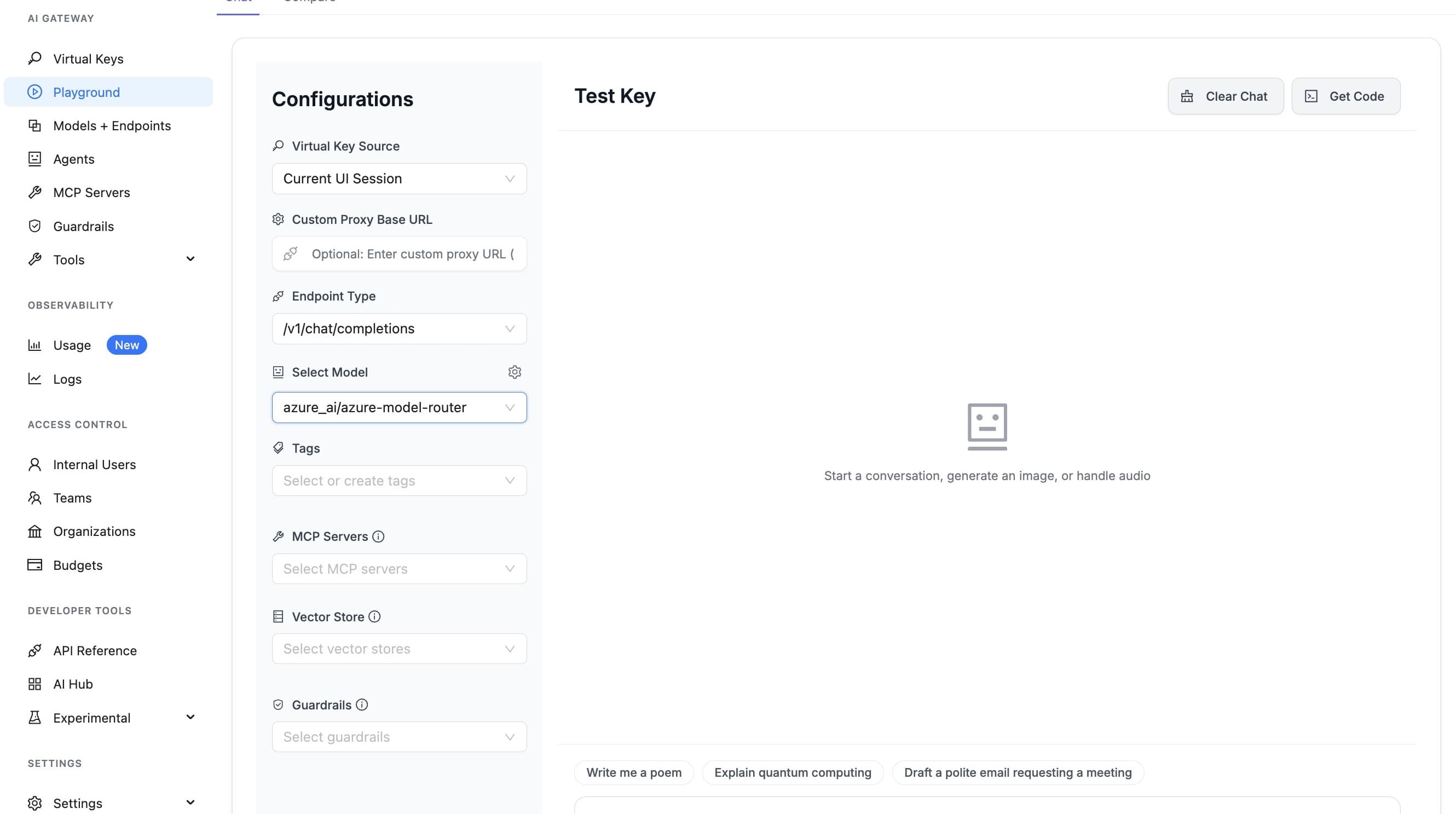
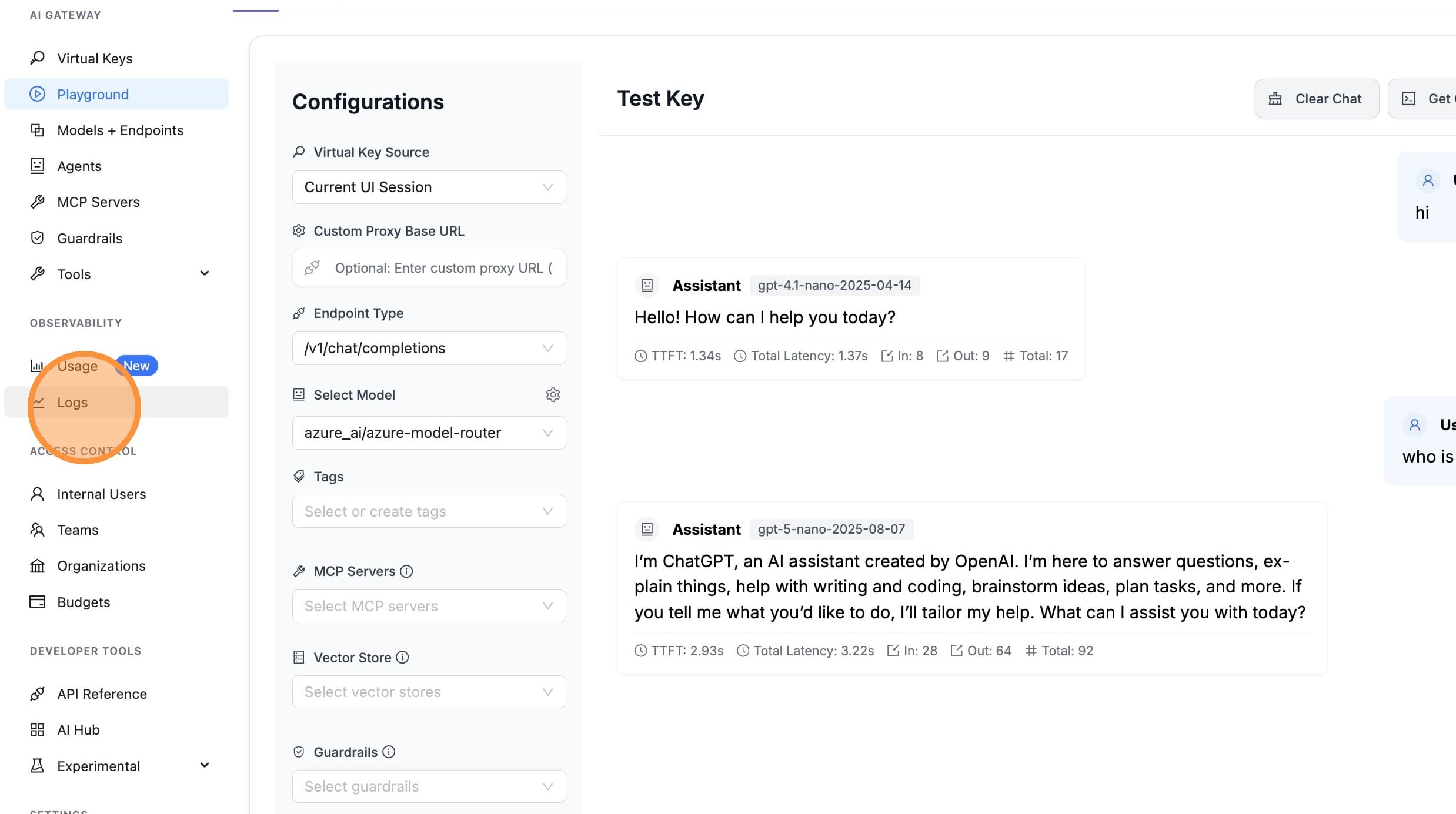
測試您的模型並確認成本追蹤運作正常。
開啟 Playground
選取模型
傳送測試訊息
檢視記錄
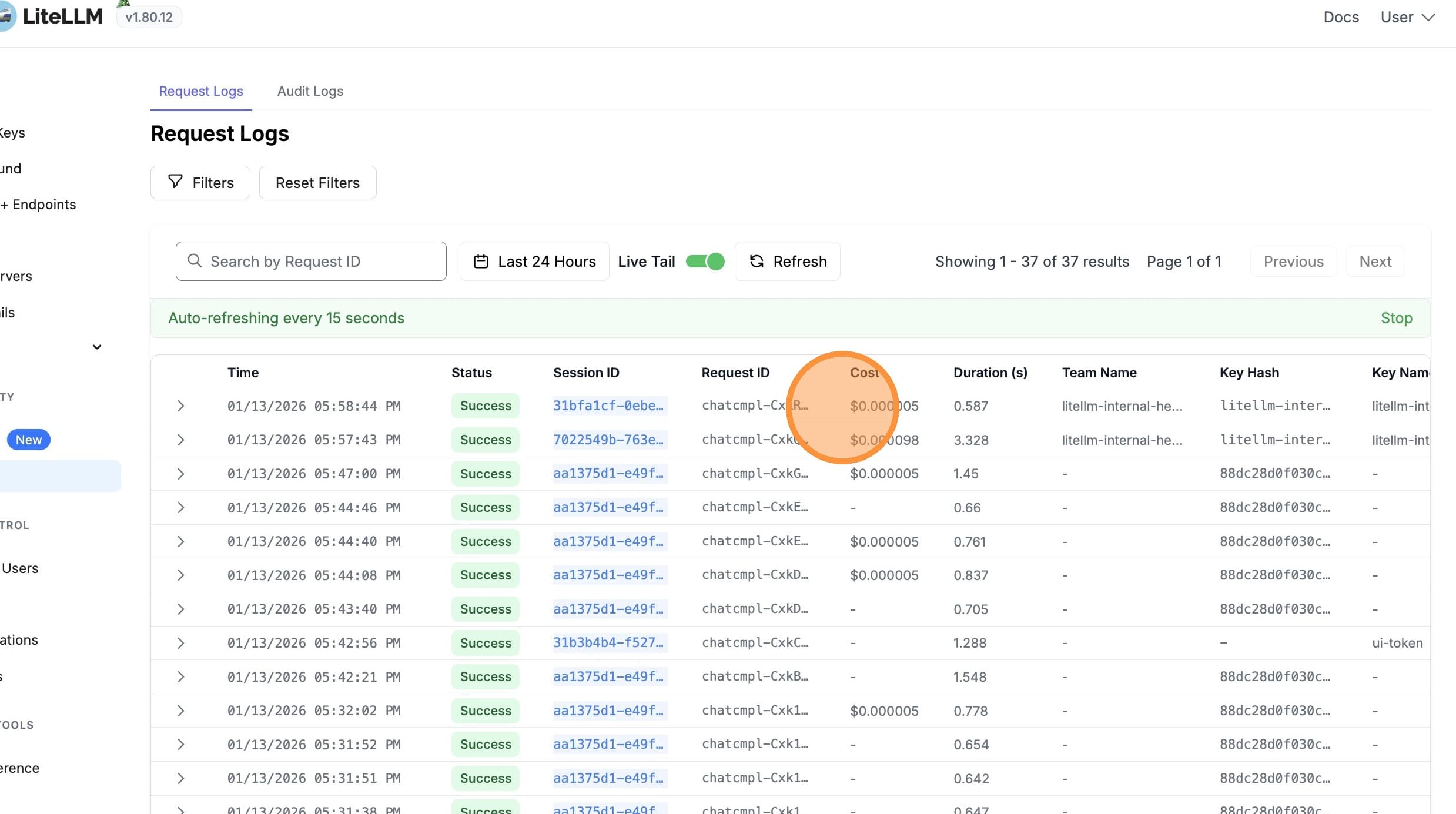
驗證成本追蹤
成本會根據實際使用的模型(例如,gpt-5.6-luna)進行追蹤,另外還會針對使用 Model Router 收取每百萬個輸入 token $0.14 的固定基礎架構成本。
成本追蹤
LiteLLM 會自動處理 Azure Model Router 的成本追蹤。了解其運作方式有助於您解讀支出並除錯計費問題。
LiteLLM 如何計算成本
當您使用 Azure Model Router 時,LiteLLM 會計算 兩個成本組成:
| 組成 | 說明 | 套用時機 |
|---|---|---|
| 模型成本 | 由實際處理請求的模型所產生的 token 型成本(例如,gpt-5-nano、gpt-4.1-nano) | 每次 Azure 在回應中回傳模型時都會套用 |
| Router 固定成本 | 每百萬個輸入 token $0.14(Azure AI Foundry 基礎架構費) | 當 請求 是透過 model router 端點發出時 |
成本計算流程
-
請求模型偵測:LiteLLM 會記錄您所請求的模型(例如,
azure_ai/model_router/model-router)。如果其中包含model_router或model-router,則該請求會被視為 router 請求。 -
回應模型擷取:Azure 會在回應中回傳實際使用的模型(例如,
gpt-5.6-luna)。LiteLLM 會使用此模型查詢模型成本。 -
模型成本:LiteLLM 會在其定價表中查詢回應模型,並根據提示詞 token 與完成 token 計算成本。
-
Router 固定成本:因為原始請求是送往 model router,所以 LiteLLM 會在模型成本之外,加上固定成本(每百萬輸入 token $0.14)。
-
總成本:
Total = Model Cost + Router Flat Cost
設定需求
為了讓成本追蹤正確運作:
- 使用完整模式:
azure_ai/model_router/<deployment-name>(例如,azure_ai/model_router/model-router) - Proxy 設定:使用 LiteLLM proxy 時,請將
model在litellm_params中設定為完整模式,讓請求模型能正確識別為 router
# proxy_server_config.yaml
model_list:
  - model_name: model-router
    litellm_params:
      model: azure_ai/model_router/model-router  # Required for router cost detection
      api_base: https://your-endpoint.cognitiveservices.azure.com/openai/deployments/model-router/chat/completions?api-version=2025-01-01-preview
      api_key: your-api-key
成本明細
當您使用 Azure Model Router 時,總成本包含:
- 模型成本:根據實際處理您請求的模型(例如,
gpt-5.6-luna、gpt-5.6-terra) - 路由器固定成本:每百萬輸入 token $0.14(Azure AI Foundry 基礎架構費用)
含成本的範例回應
import litellm

response = litellm.completion(
    model="azure_ai/model_router/azure-model-router",
    messages=[{"role": "user", "content": "Hello!"}],
    api_base="https://your-endpoint.cognitiveservices.azure.com/openai/v1/",
    api_key="your-api-key",
)

# The response will show the actual model used
print(f"Model used: {response.model}")  # e.g., "azure_ai/gpt-5.6-luna"

# Get cost (includes both model cost and router flat cost)
from litellm import completion_cost
cost = completion_cost(completion_response=response)
print(f"Total cost: ${cost}")

# Access detailed cost breakdown
if hasattr(response, '_hidden_params') and 'response_cost' in response._hidden_params:
    print(f"Response cost: ${response._hidden_params['response_cost']}")
在 UI 中查看成本明細
在 LiteLLM UI 中查看記錄時,您會看到:
- 模型成本:實際使用模型的成本
- Azure Model Router 固定成本:每百萬輸入 token $0.14 的基礎架構費用
- 總成本:兩者成本總和
這個明細可協助您 دقیق了解使用 Model Router 時實際支付的費用。

