[Beta] 防護欄政策
使用政策來分組防護欄,並控制哪些防護欄會針對特定團隊、金鑰或模型執行。
為什麼要使用政策?
- 針對團隊、金鑰或模型啟用/停用特定防護欄
- 將防護欄分組成單一政策
- 繼承現有政策,並覆寫您需要的部分
快速開始
- config.yaml
- UI (LiteLLM Dashboard)
model_list:
  - model_name: gpt-5.6-terra
    litellm_params:
      model: openai/gpt-5.6-terra

# 1. Define your guardrails
guardrails:
  - guardrail_name: pii_masking
    litellm_params:
      guardrail: presidio
      mode: pre_call

  - guardrail_name: prompt_injection
    litellm_params:
      guardrail: lakera
      mode: pre_call
      api_key: os.environ/LAKERA_API_KEY

# 2. Create a policy
policies:
  my-policy:
    guardrails:
      add:
        - pii_masking
        - prompt_injection

# 3. Attach the policy
policy_attachments:
  - policy: my-policy
    scope: "*"  # apply to all requests
步驟 1:建立政策
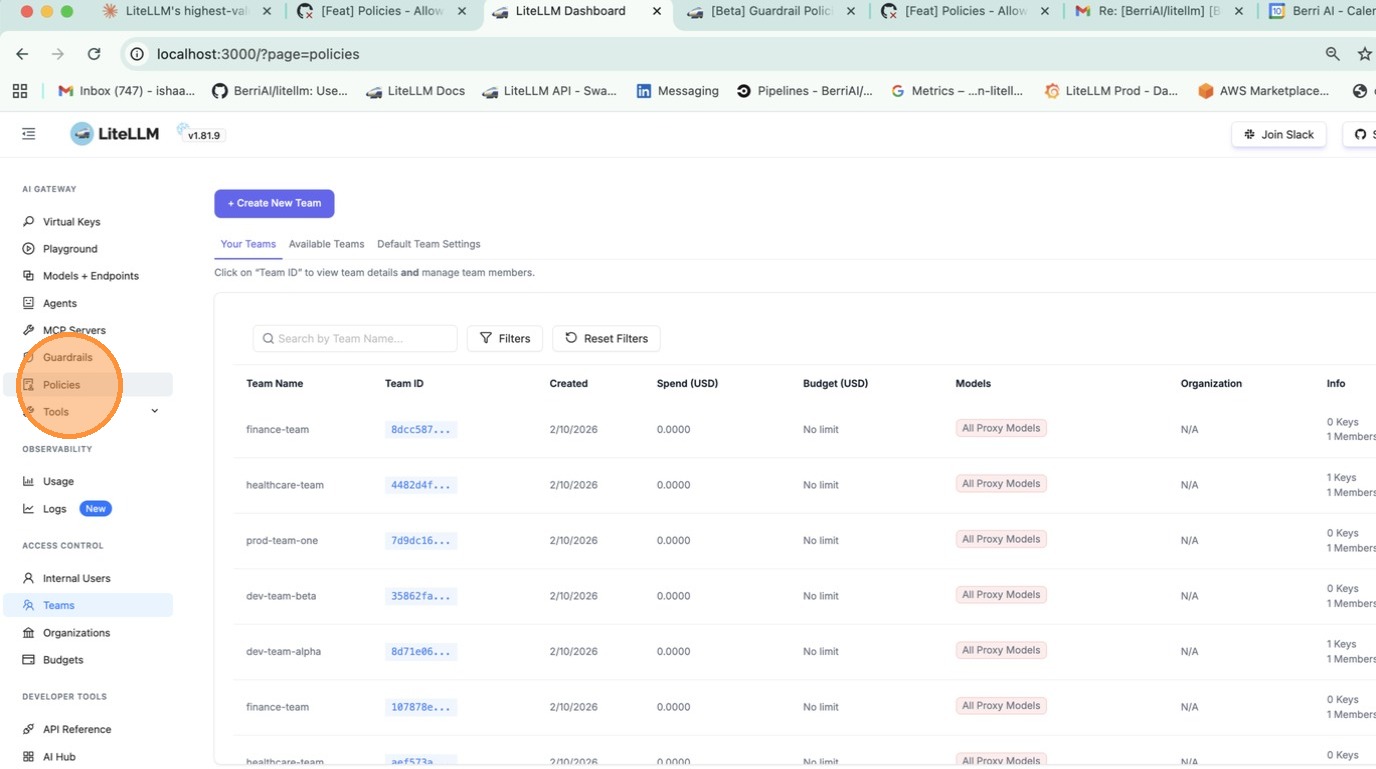
前往 Policies 分頁並點擊 + Create New Policy。填入政策名稱、描述,並選擇要新增的防護欄。
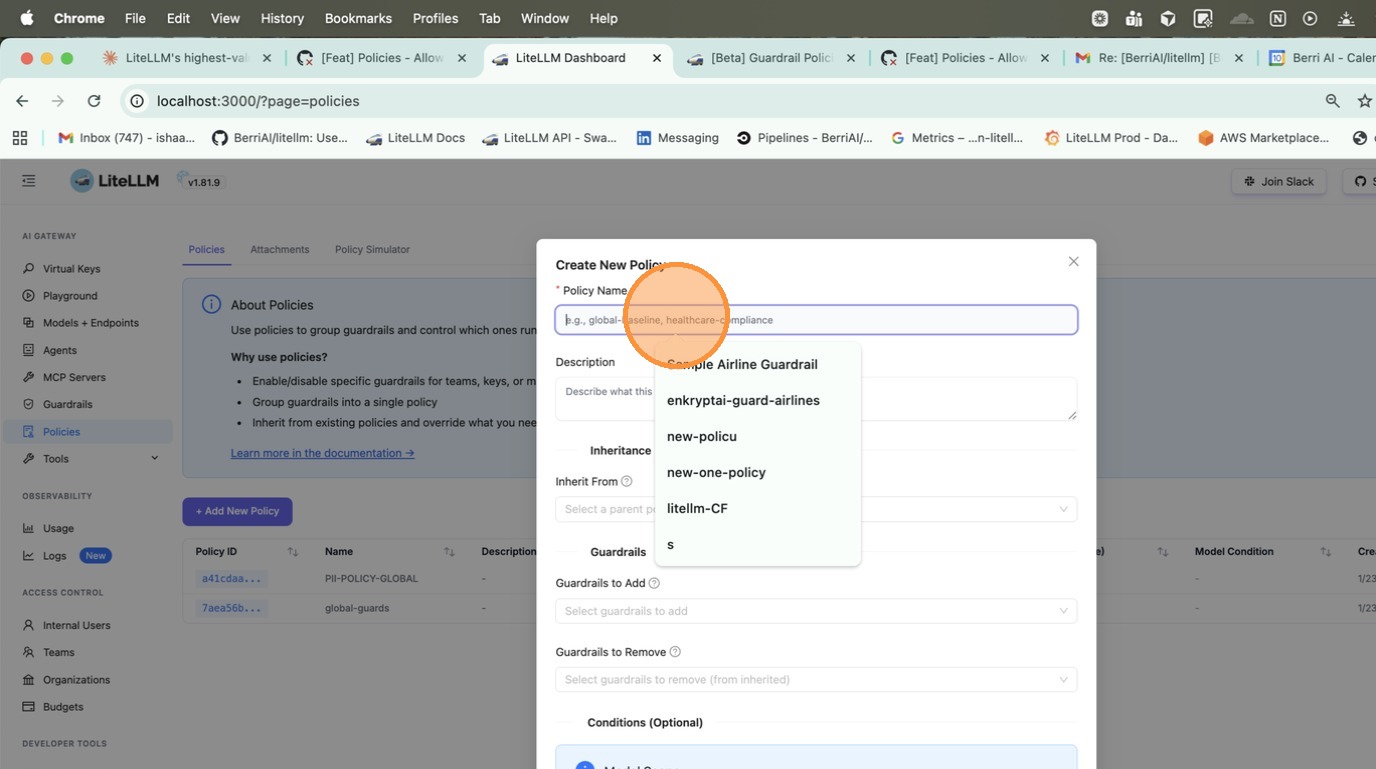
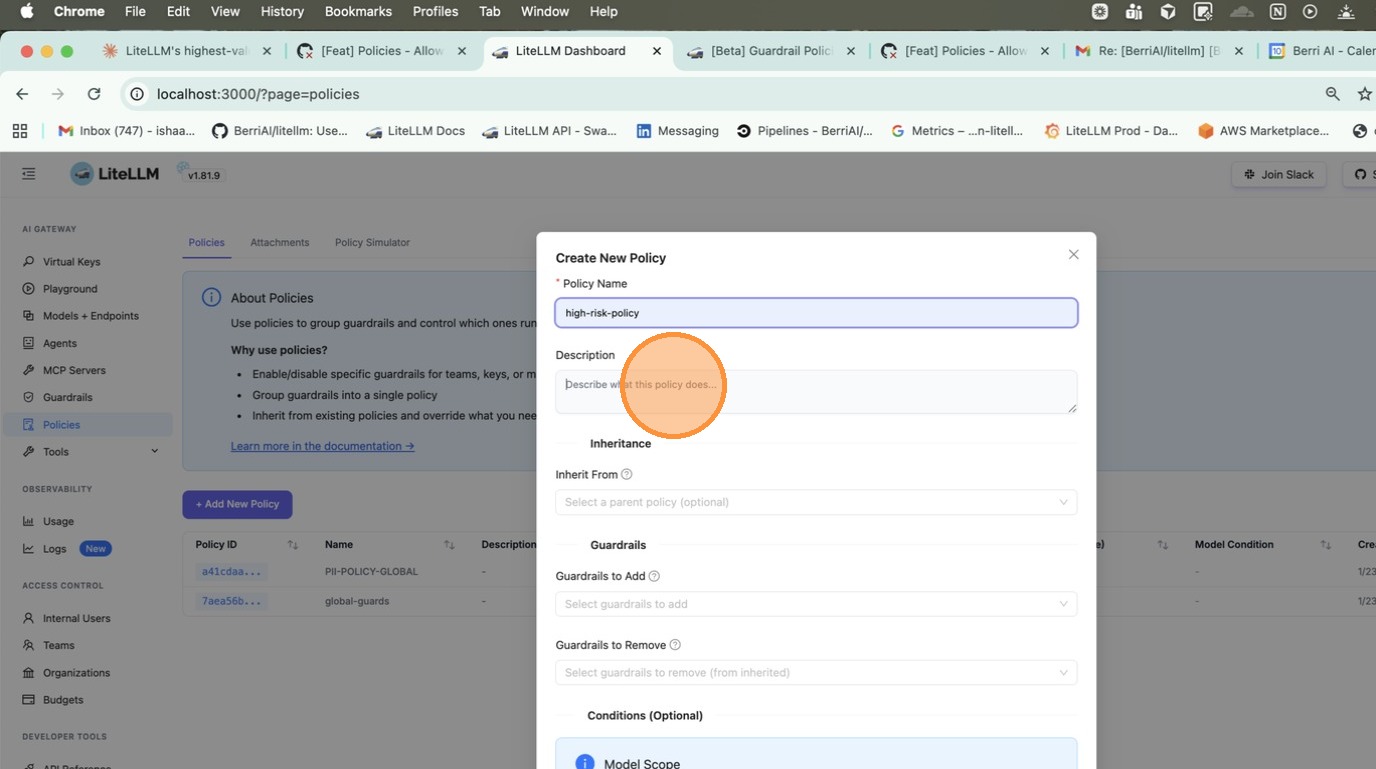
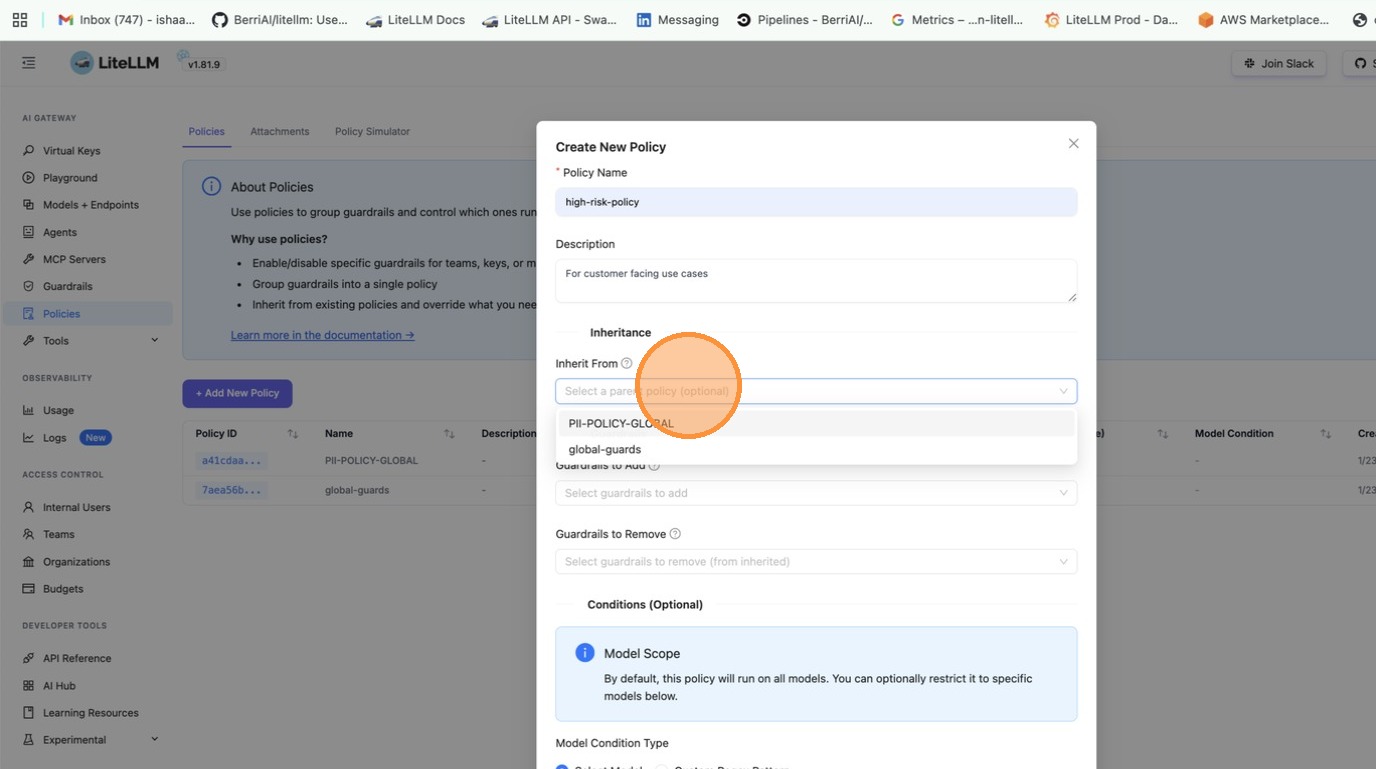
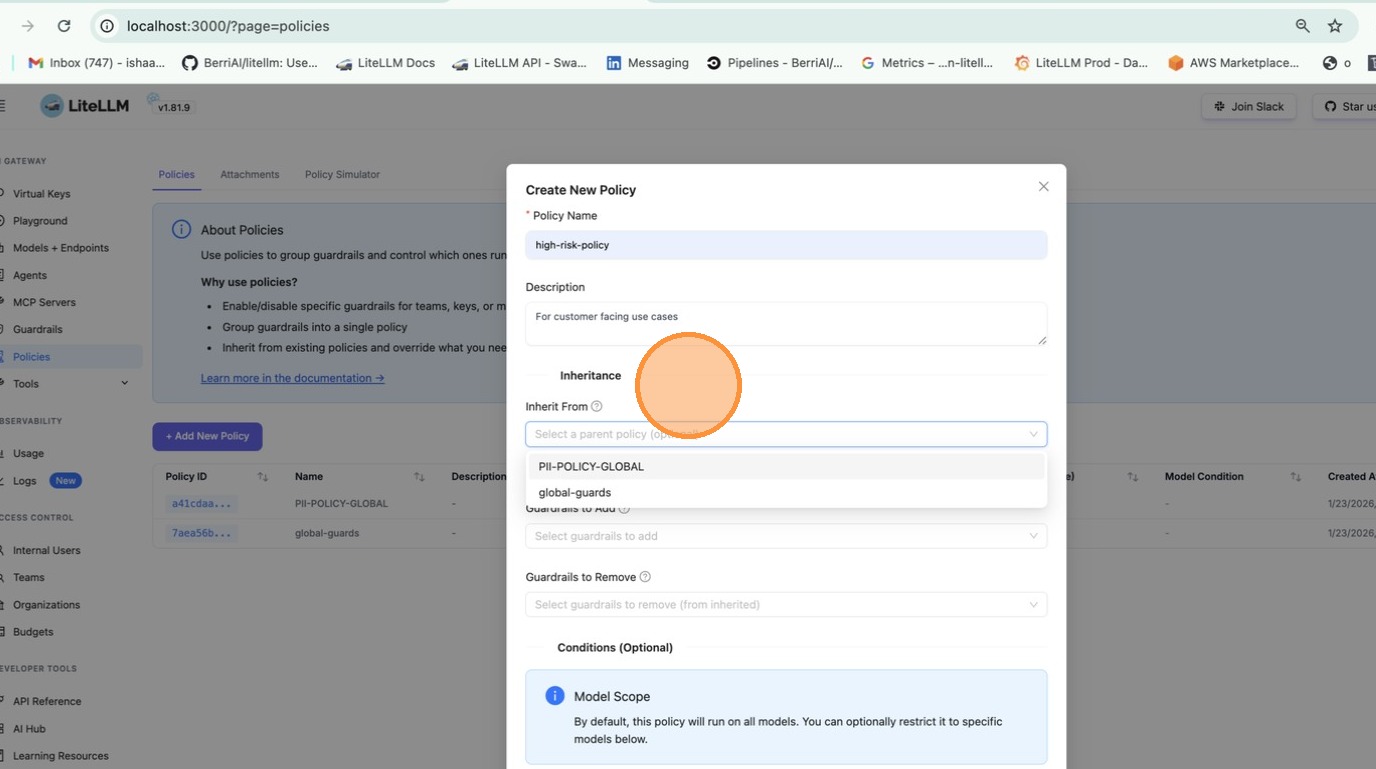
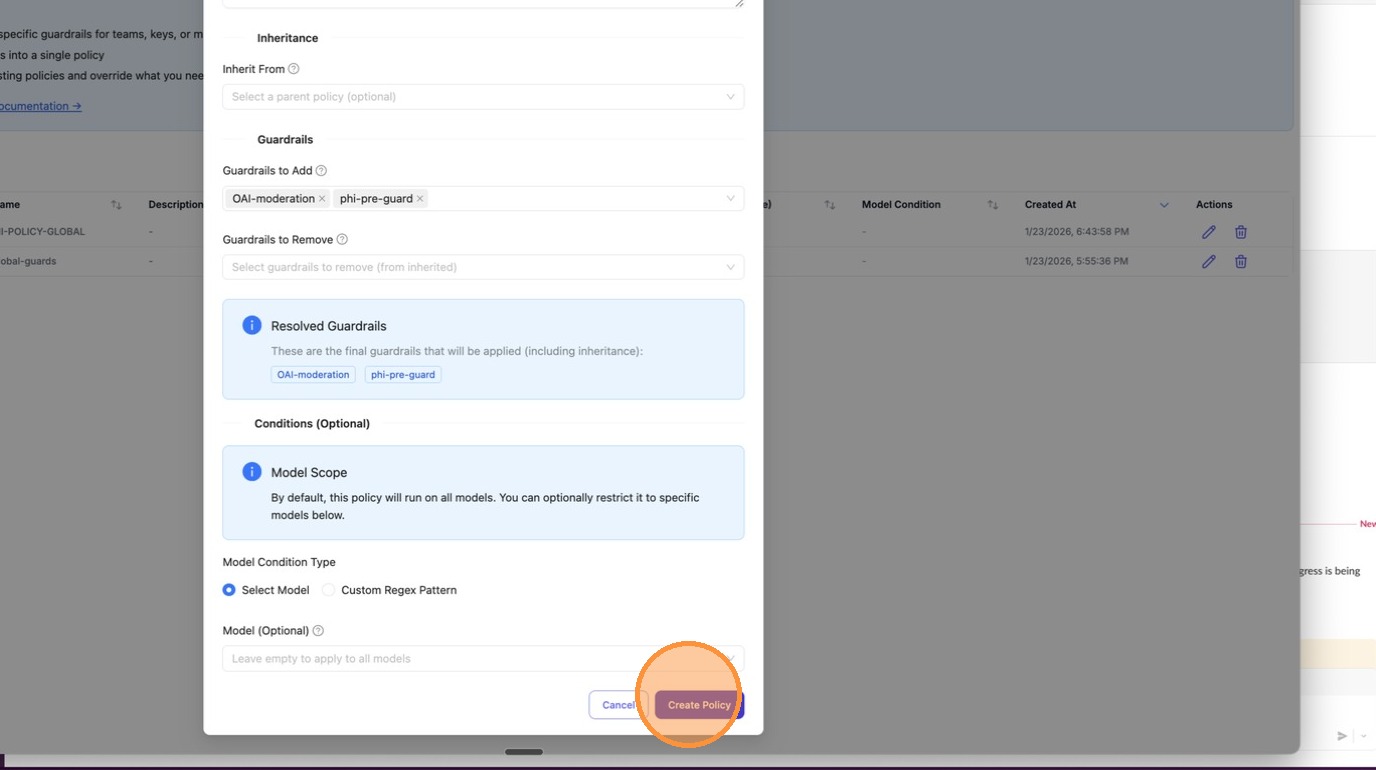
回應標頭會顯示哪些內容已執行:
x-litellm-applied-policies: my-policy
x-litellm-applied-guardrails: pii_masking,prompt_injection
為特定團隊新增防護欄
您有一個全域基準,但想為特定團隊新增額外的防護欄。
- config.yaml
- UI (LiteLLM Dashboard)
policies:
  global-baseline:
    guardrails:
      add:
        - pii_masking

  finance-team-policy:
    inherit: global-baseline
    guardrails:
      add:
        - strict_compliance_check
        - audit_logger

policy_attachments:
  - policy: global-baseline
    scope: "*"

  - policy: finance-team-policy
    teams:
      - finance  # team alias from /team/new
選項 1:建立以團隊為範圍的附加項目
前往 Policies > Attachments 分頁並點擊 + Create New Attachment。選擇政策以及要套用的團隊範圍。
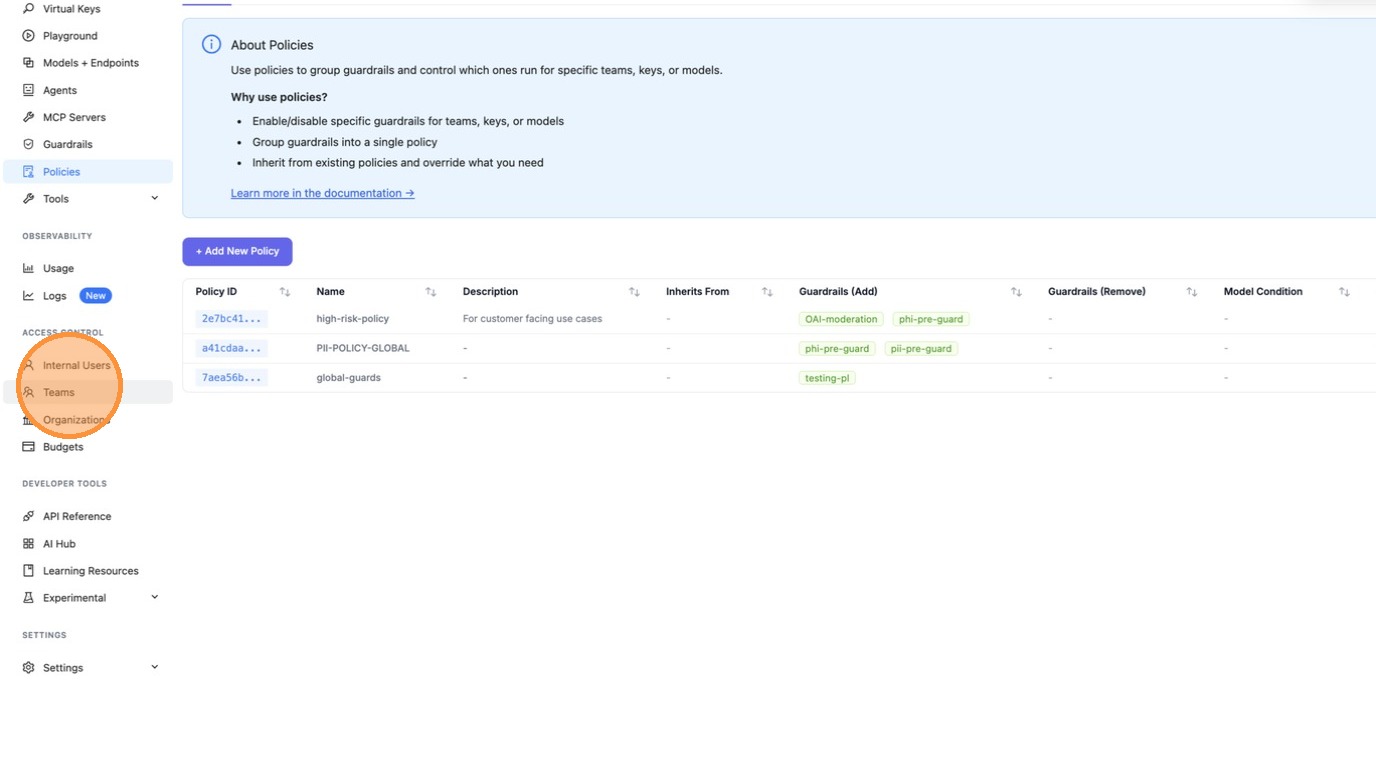
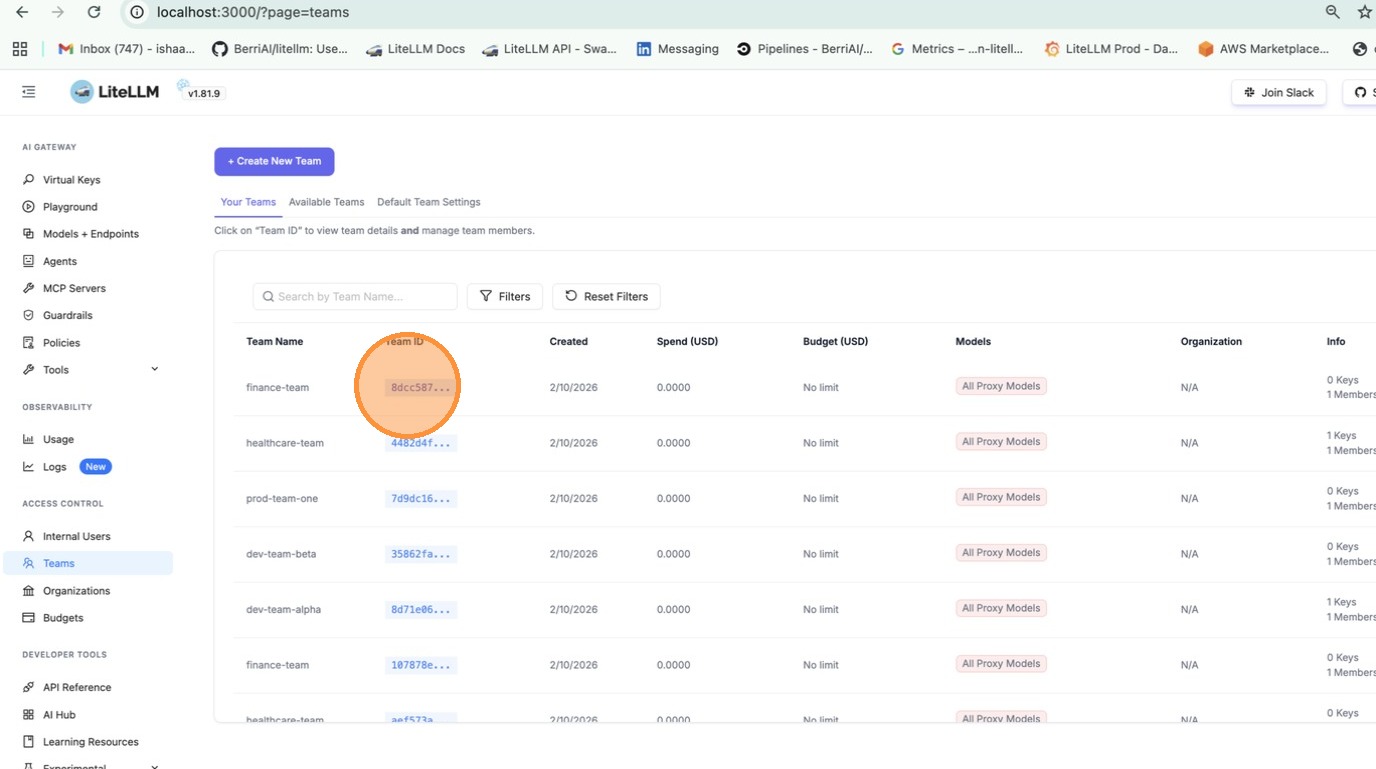
選項 2:從團隊設定中附加
前往 Teams > 點擊某個團隊 > Settings 分頁 > 在 Policies 下方,選擇要附加的政策。
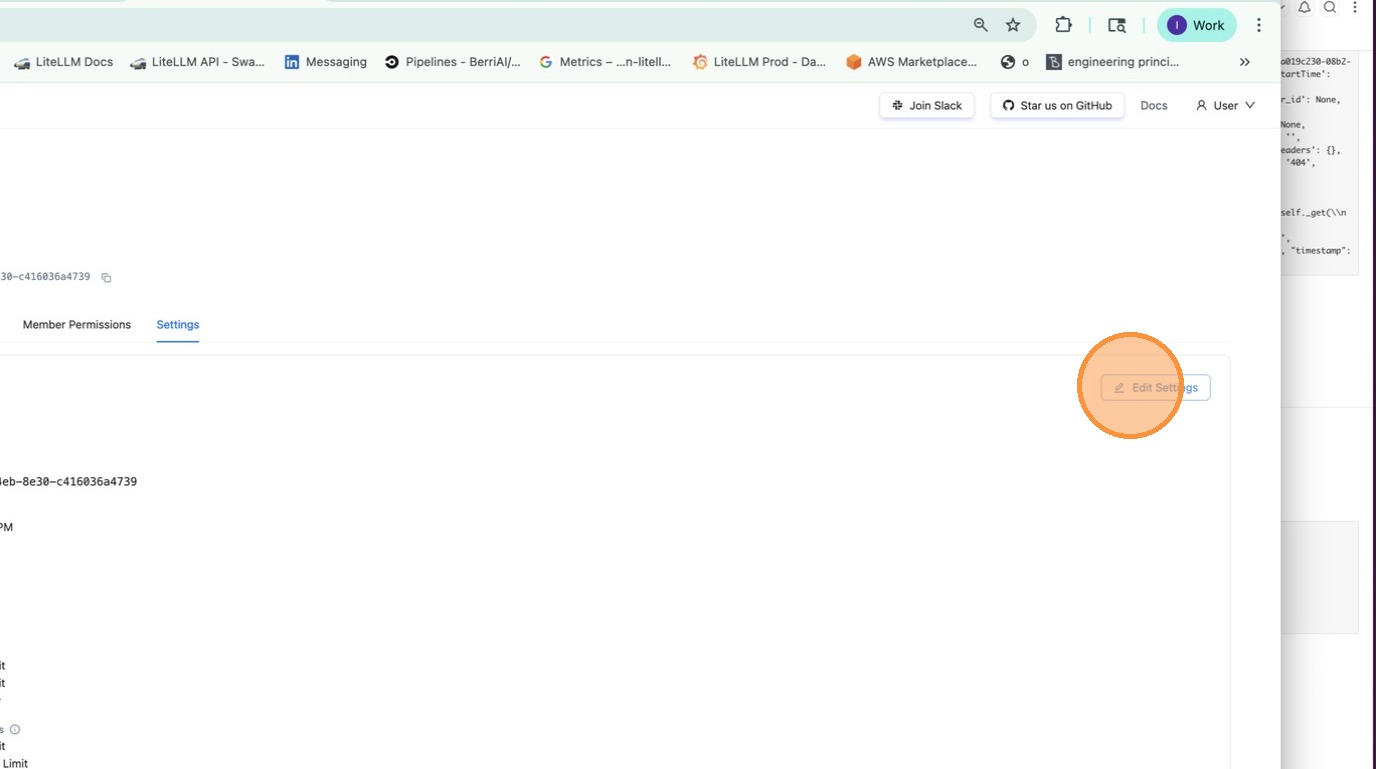
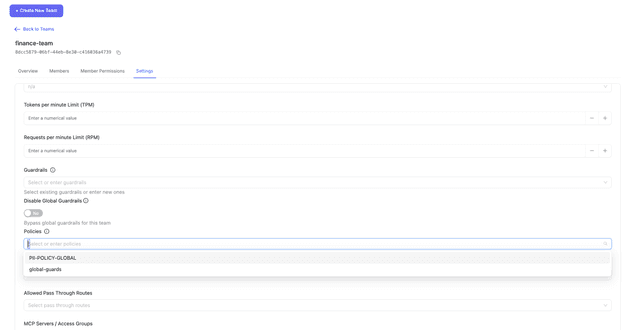
現在 finance 團隊會取得 pii_masking + strict_compliance_check + audit_logger,而其他所有人只會取得 pii_masking。
移除特定團隊的防護欄
您有全域執行的防護欄,但想為特定團隊停用其中一些(例如:內部測試)。
policies:
  global-baseline:
    guardrails:
      add:
        - pii_masking
        - prompt_injection

  internal-team-policy:
    inherit: global-baseline
    guardrails:
      remove:
        - pii_masking  # don't need PII masking for internal testing

policy_attachments:
  - policy: global-baseline
    scope: "*"

  - policy: internal-team-policy
    teams:
      - internal-testing  # team alias from /team/new
現在 internal-testing 團隊只會取得 prompt_injection,而其他所有人會取得兩個防護欄。
繼承
從基礎政策開始,並在其上擴充:
policies:
  base:
    guardrails:
      add:
        - pii_masking
        - toxicity_filter

  strict:
    inherit: base
    guardrails:
      add:
        - prompt_injection

  relaxed:
    inherit: base
    guardrails:
      remove:
        - toxicity_filter
您會得到:
base→[pii_masking, toxicity_filter]strict→[pii_masking, toxicity_filter, prompt_injection]relaxed→[pii_masking]
模型條件
僅針對特定模型執行防護欄:
policies:
  gpt-safety:
    guardrails:
      add:
        - strict_content_filter
    condition:
      model: "gpt-5.6.*"  # regex - matches gpt-5.6-luna, gpt-5.6-terra

  bedrock-compliance:
    guardrails:
      add:
        - audit_logger
    condition:
      model:  # exact match list
        - bedrock/anthropic.claude-sonnet-5
        - bedrock/anthropic.claude-opus-5
附加項目
在您附加之前,政策不會發揮任何作用。附加項目會告訴 LiteLLM 要在何處套用每個政策。
全域 - 會在每個請求上執行:
policy_attachments:
  - policy: default
    scope: "*"
特定團隊(使用來自 /team/new 的團隊別名):
policy_attachments:
  - policy: hipaa-compliance
    teams:
      - healthcare-team  # team alias
      - medical-research  # team alias
特定金鑰(使用來自 /key/generate 的金鑰別名,支援萬用字元):
policy_attachments:
  - policy: internal-testing
    keys:
      - "dev-*"  # key alias pattern
      - "test-*"  # key alias pattern
基於標籤(依據中繼資料標籤比對金鑰/團隊,支援萬用字元):
policy_attachments:
  - policy: hipaa-compliance
    tags:
      - "healthcare"
      - "health-*"  # wildcard - matches health-team, health-dev, etc.
標籤會從金鑰和團隊 metadata.tags 讀取。範例來說,以 metadata: {"tags": ["healthcare"]} 建立的金鑰會符合上方的附加項目。
測試政策比對
除錯哪些政策和防護欄會套用到給定情境。請在部署之前使用此功能驗證您的政策設定。
- UI (LiteLLM Dashboard)
- API
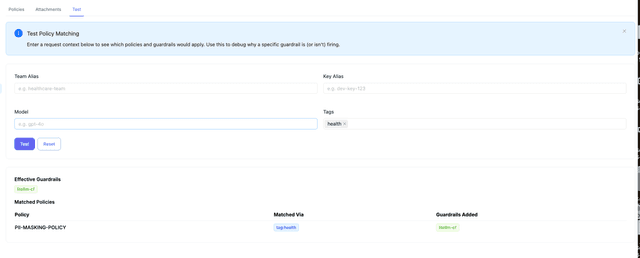
前往 Policies > Test 分頁。輸入團隊別名、金鑰別名、模型或標籤,然後點擊 Test,查看哪些政策會比對以及會套用哪些防護欄。
curl -X POST "http://localhost:4000/policies/resolve" \
    -H "Authorization: Bearer <your_api_key>" \
    -H "Content-Type: application/json" \
    -d '{
        "tags": ["healthcare"],
        "model": "gpt-5.6-terra"
    }'
回應:
{
    "effective_guardrails": ["pii_masking"],
    "matched_policies": [
        {
            "policy_name": "hipaa-compliance",
            "matched_via": "tag:healthcare",
            "guardrails_added": ["pii_masking"]
        }
    ]
}
政策執行順序
當多個政策符合單一請求時,LiteLLM 會依從最廣的附加範圍到最狹的附加範圍執行:先 scope: "*",再 teams,接著 keys,再來 tags,最後 models。結合了其中多種條件的附加,會依其最狹的條件排序,且排在該層級中的單一條件附加之後(models: [gpt-4o] 先於 teams: [finance], models: [gpt-4o])。仍然同順位的附加,會保留其 config.yaml 順序,接著是透過 API 或 UI 建立的附加,且以最新建立者優先。透過請求本文("policies": [...])傳入的政策,會在每個附加符合之後依照給定順序執行。在各層級之間,順序不會取決於附加在 config.yaml 中的列出方式,也不取決於哪個 proxy worker 處理該請求。
這就是管線執行的順序,因此全域封鎖政策一定會在模型範圍的政策執行之前拒絕請求。這也是 x-litellm-applied-policies 以及 matched_policies 在 /policies/resolve 和 Policy Simulator 中的順序。當同一項政策附加在多個符合的範圍時,它只會執行一次,並依其排序最前的附加來排名,而 matched_via 會回報該附加(scope:* 而非 model:gpt-4o,當兩者都沒有 priority 時)。
若要覆寫層級順序,請在附加上設定可選的整數 priority。具有 priority 的附加會先於沒有該值的所有附加執行,且值越小越先執行;當兩者數值相同時,則回退到上述層級順序。沒有 priority 的附加行為完全相同,因此既有設定不會變更。此處 model-policy 會先於 tag-policy 執行,即使 tags 是較廣的層級:
policy_attachments:
  - policy: model-policy
    models: [gpt-4o]
    priority: 1
  - policy: tag-policy
    tags: [production]
    priority: 2
同一欄位可由 POST /policies/attachments 接受、由 GET /policies/attachments/list 回傳,並在 Admin UI 的 Attachments 分頁中顯示為可排序的 Priority 欄位,以及一個可選的 Priority 輸入欄位。數值必須符合有號 32 位元整數(-2147483648 到 2147483647)。
policy_attachments:
  - policy: model-policy
    models: [gpt-4o]
  - policy: team-policy
    teams: [finance]
  - policy: global-policy
    scope: "*"
來自 finance 金鑰的 gpt-4o 請求會先執行 global-policy,再執行 team-policy,接著執行 model-policy,並回傳 x-litellm-applied-policies: global-policy,team-policy,model-policy。
預設(備援)附加
附加匹配是累加式的:每個範圍符合請求的附加都會貢獻其政策。若要讓某個政策只在選擇加入的請求上執行,並讓不同的政策套用於其他所有人,請將備援附加標記為 default: true。只要有任何非預設附加符合該請求且其政策適用(該政策存在,且其 condition,若有的話,符合請求模型),預設附加就會被略過。當沒有非預設附加符合時,所有自身範圍符合的預設附加都會依一般執行順序套用。
policy_attachments:
  - policy: strict-guardrail
    tags: [strict-opt-in]
  - policy: standard-guardrail
    scope: "*"
    default: true
帶有 strict-opt-in 標籤的請求只會執行 strict-guardrail。沒有該標籤的請求只會執行 standard-guardrail,而且其在 matched_via 與 Policy Simulator 中的 /policies/resolve 會以前綴 default:(例如 default:scope:*)。預設附加仍會遵守 teams、keys、models 和 tags,因此 teams: [finance], default: true 只會套用於未匹配到其他任何條件的 finance 請求。沒有 default 的附加行為完全相同。
同一欄位可由 POST /policies/attachments 接受、由 GET /policies/attachments/list 回傳,並在 Admin UI 的建立附加表單中以 Default 開關呈現,且在 Attachments 分頁中以 Default 欄位呈現。
政策流程建構器
若要進行條件式執行(例如:只有在第一個防護欄失敗時才執行第二個防護欄),請使用 Policy Flow Builder 來定義具有每一步 通過、失敗 與可選 錯誤 動作的管線(on_pass、on_fail、可選的 on_error)。
設定參考
policies
policies:
  <policy-name>:
    description: ...
    inherit: ...
    guardrails:
      add: [...]
      remove: [...]
    condition:
      model: ...
    pipeline: ...  # optional; see Policy Flow Builder
| 欄位 | 類型 | 說明 |
|---|---|---|
description | string | 選填。此政策的作用。 |
inherit | string | 選填。要從中繼承防護欄的父政策。 |
guardrails.add | list[string] | 要啟用的防護欄。 |
guardrails.remove | list[string] | 要停用的防護欄(在繼承時很有用)。 |
condition.model | string 或 list[string] | 選填。僅在模型符合時套用。支援 regex。 |
pipeline | object | 選填。依序執行防護欄,並對每一步設定動作(on_pass、on_fail、可選的 on_error)。請參閱 Policy Flow Builder。 |
policy_attachments
policy_attachments:
  - policy: ...
    scope: ...
    teams: [...]
    keys: [...]
    models: [...]
    tags: [...]
    priority: ...
    default: ...
| Field | Type | Description |
|---|---|---|
policy | string | 必填。 要附加的政策名稱。 |
scope | string | 使用 "*" 以全域套用。 |
teams | list[string] | 團隊別名(來自 /team/new)。支援 * 萬用字元。 |
keys | list[string] | 金鑰別名(來自 /key/generate)。支援 * 萬用字元。 |
models | list[string] | 模型名稱。支援 * 萬用字元。 |
tags | list[string] | 標籤樣式(來自金鑰/團隊 metadata.tags)。支援 * 萬用字元。 |
priority | integer | 選填。數值越小越先執行。具有優先順序的附加會先於沒有優先順序的附加執行;同值時則回退到層級順序。 |
default | boolean | 選填,預設為 false。只有在沒有任何非預設附加符合請求時,才套用此附加。 |
回應標頭
| 標頭 | 說明 |
|---|---|
x-litellm-applied-policies | 與此請求比對成功的政策 |
x-litellm-applied-guardrails | 實際執行的防護欄 |
x-litellm-policy-sources | 每個政策為何比對成功(例如:hipaa=tag:healthcare; baseline=scope:*) |
運作方式
設定範例:
policies:
  base:
    guardrails:
      add: [pii_masking]

  finance-policy:
    inherit: base
    guardrails:
      add: [audit_logger]

policy_attachments:
  - policy: base
    scope: "*"
  - policy: finance-policy
    teams: [finance]
- 請求以
team_alias='finance'進來 - 比對到
base(透過scope: "*")以及finance-policy(透過teams: [finance]) - 解析防護欄:
base新增pii_masking,finance-policy繼承並新增audit_logger - 最終防護欄:
pii_masking、audit_logger

