價格計算器(成本估算)
根據預期的 token 使用量與請求量估算 LLM 成本。這個工具可協助開發人員與平台團隊在將模型部署到正式環境前預測支出。
何時使用此功能
使用價格計算器來:
- 預算規劃 - 在承諾採用某個模型前,估算每月成本
- 模型比較 - 比較不同模型在您的使用情境中的成本
- 容量規劃 - 了解擴大量請求時的成本影響
- 成本最佳化 - 找出最符合您 token 需求的最具成本效益模型
使用價格計算器
本教學將示範如何在 LiteLLM UI 中使用價格計算器估算 LLM 成本。
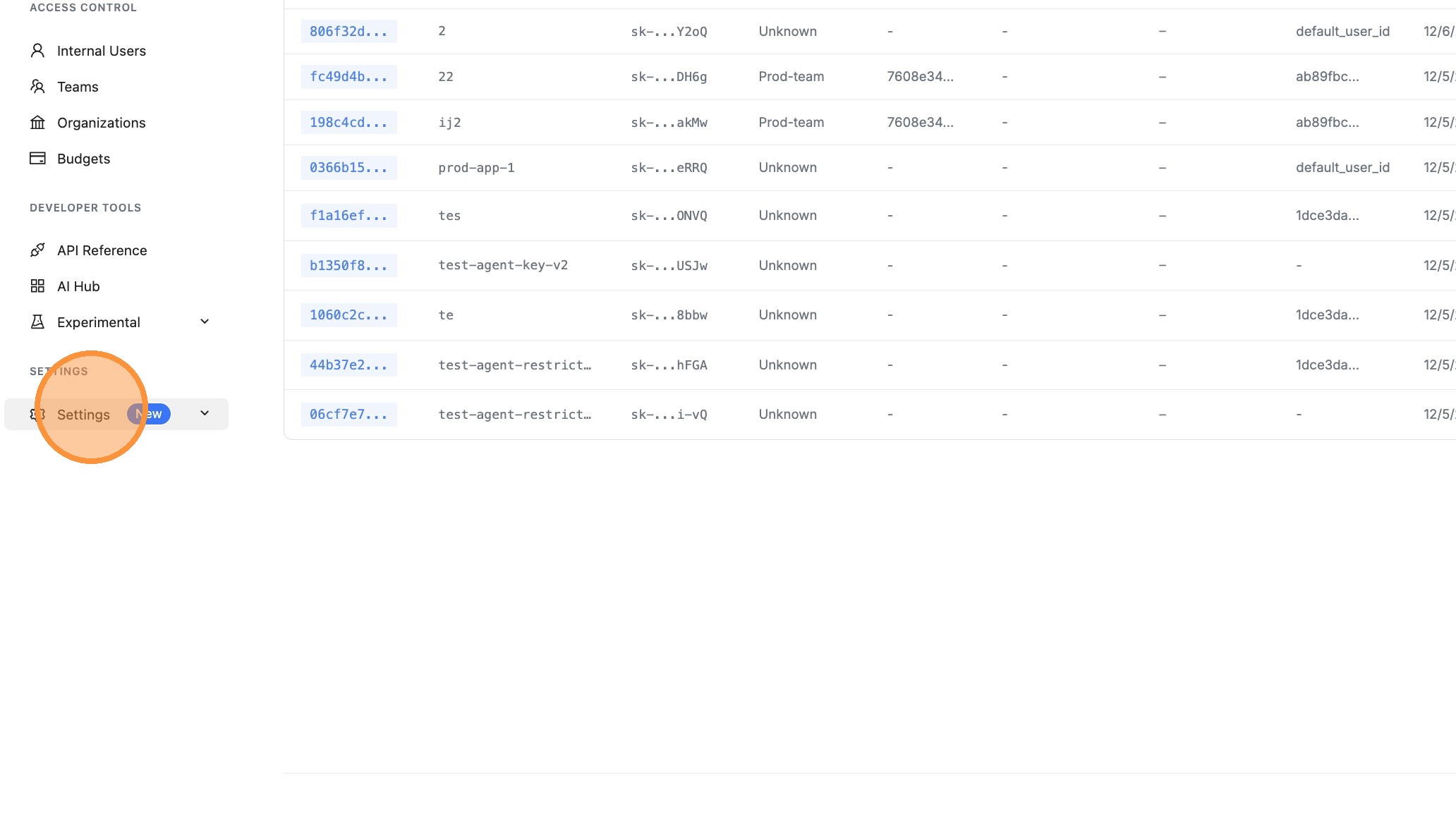
步驟 1:前往設定
在 LiteLLM 儀表板中,點擊左側邊欄的 Settings。
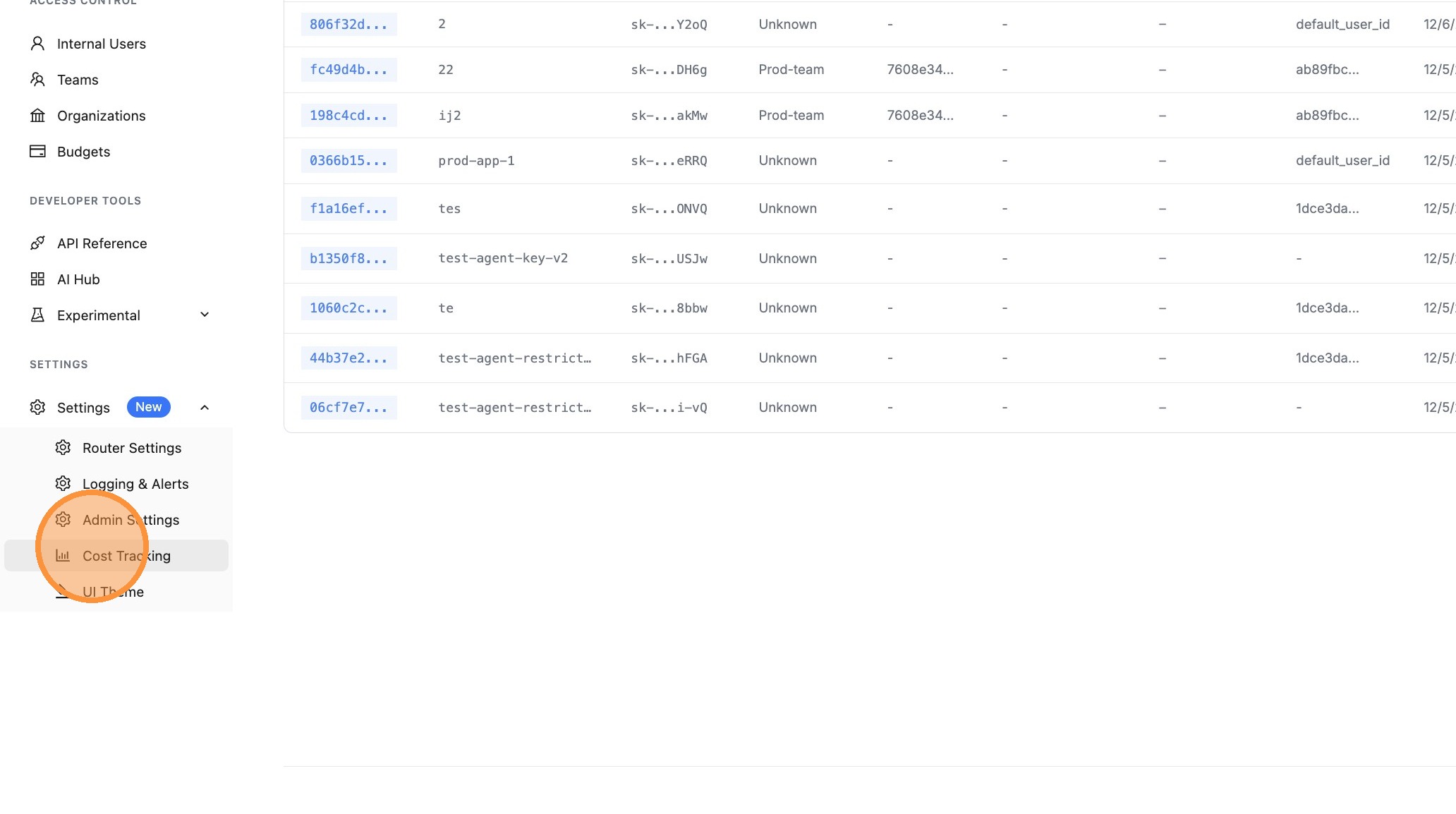
步驟 2:開啟成本追蹤
點擊 Cost Tracking 以存取成本設定選項。
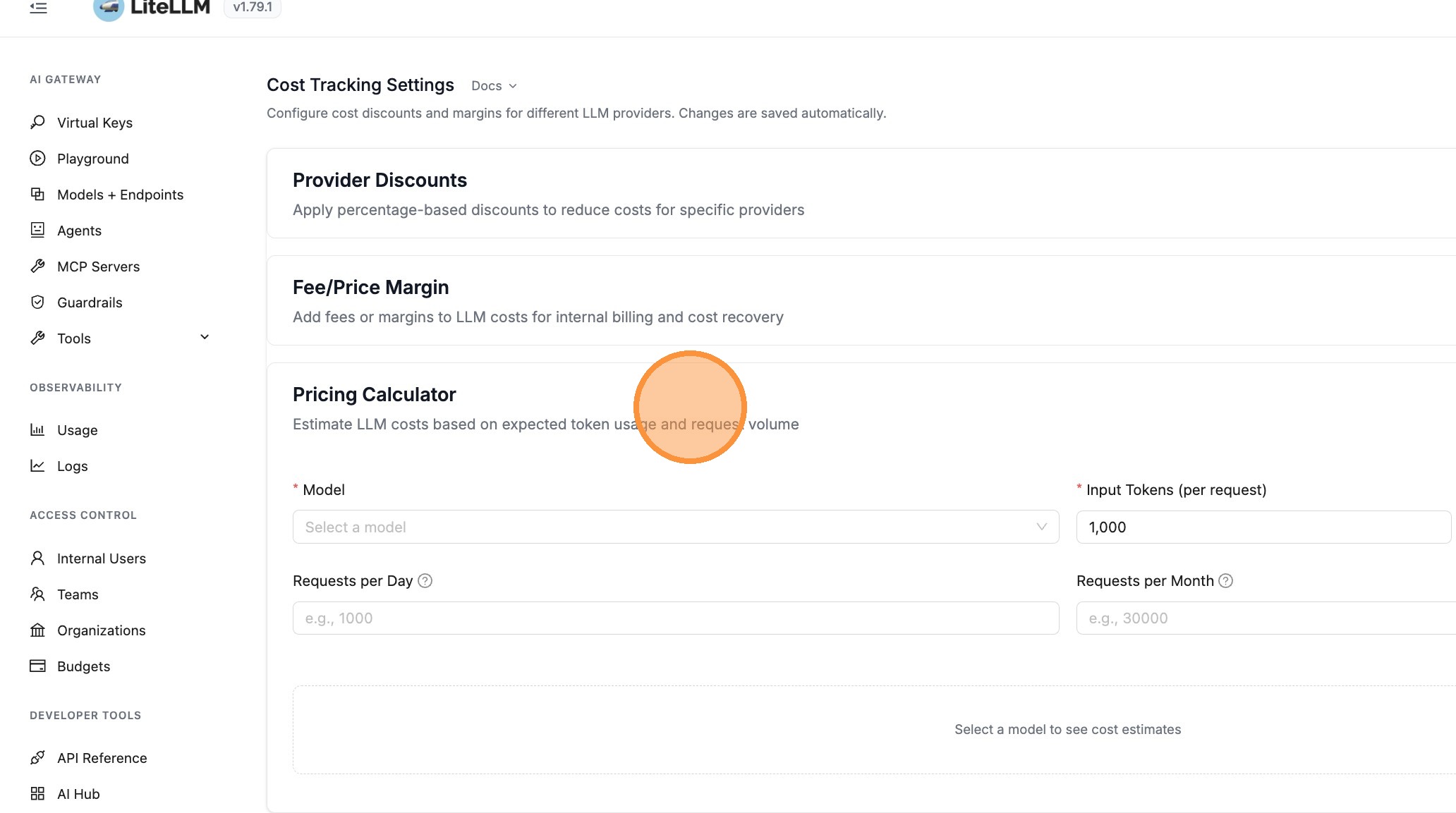
步驟 3:開啟價格計算器
點擊 Pricing Calculator 以展開計算器面板。此區段可讓您根據預期的 token 使用量與請求量估算 LLM 成本。
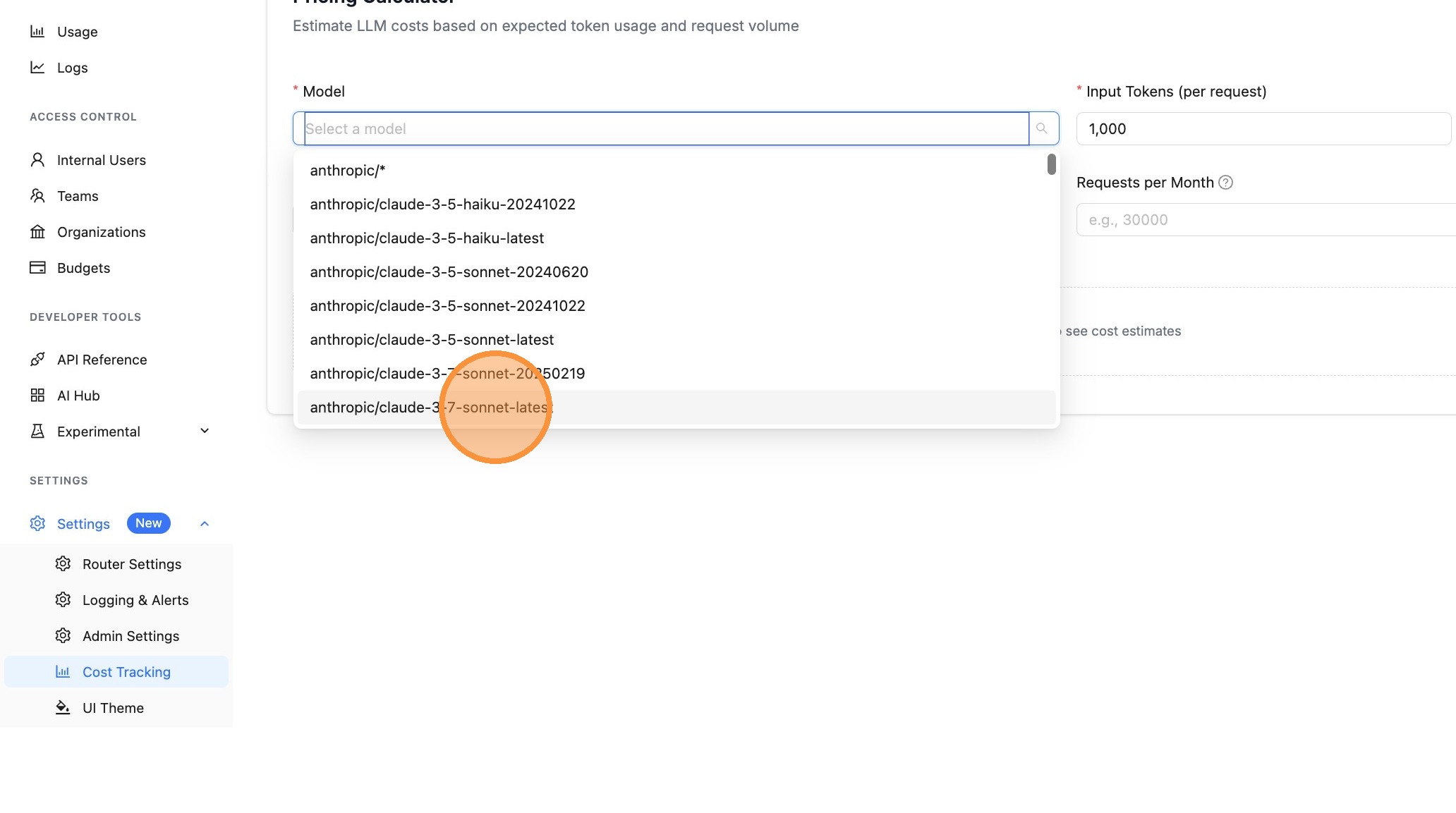
步驟 4:選取模型
點擊 Model 下拉選單以選取您要估算成本的模型。
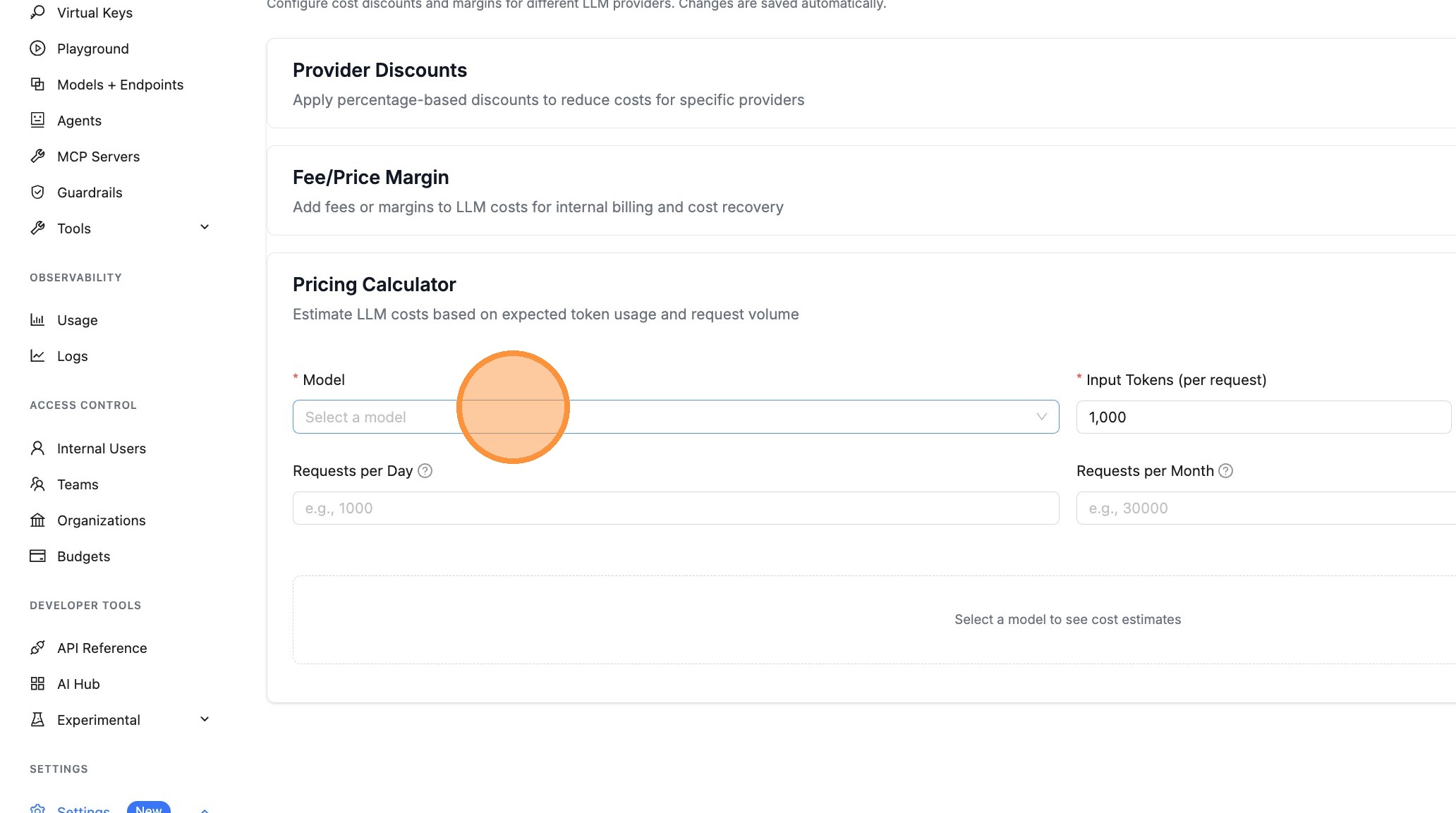
從清單中選擇一個模型。顯示的模型是您在 LiteLLM proxy 上已設定的模型。
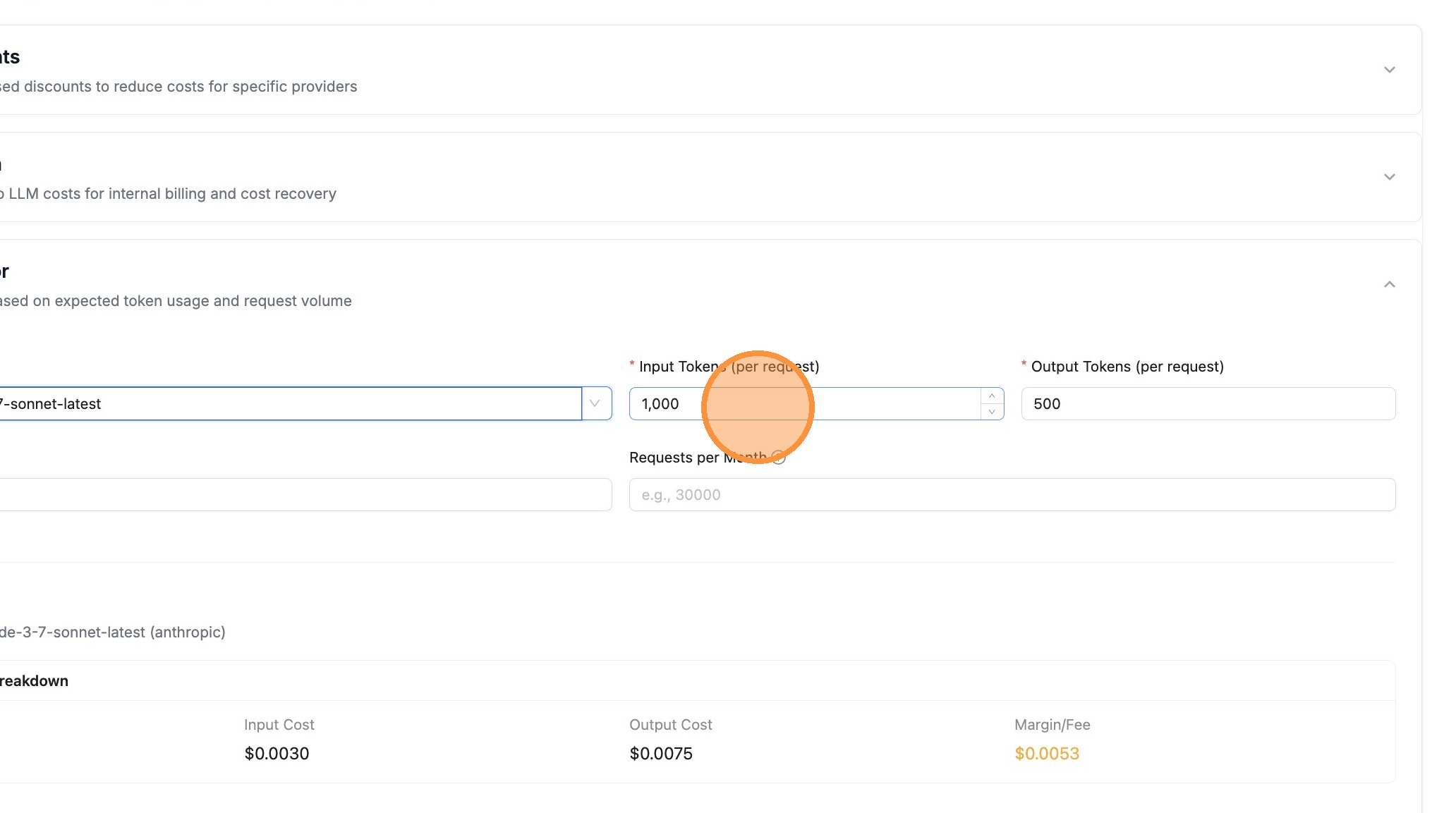
步驟 5:設定 token 數量
輸入預期的 Input Tokens (per request) - 這是您提示中的平均 token 數。
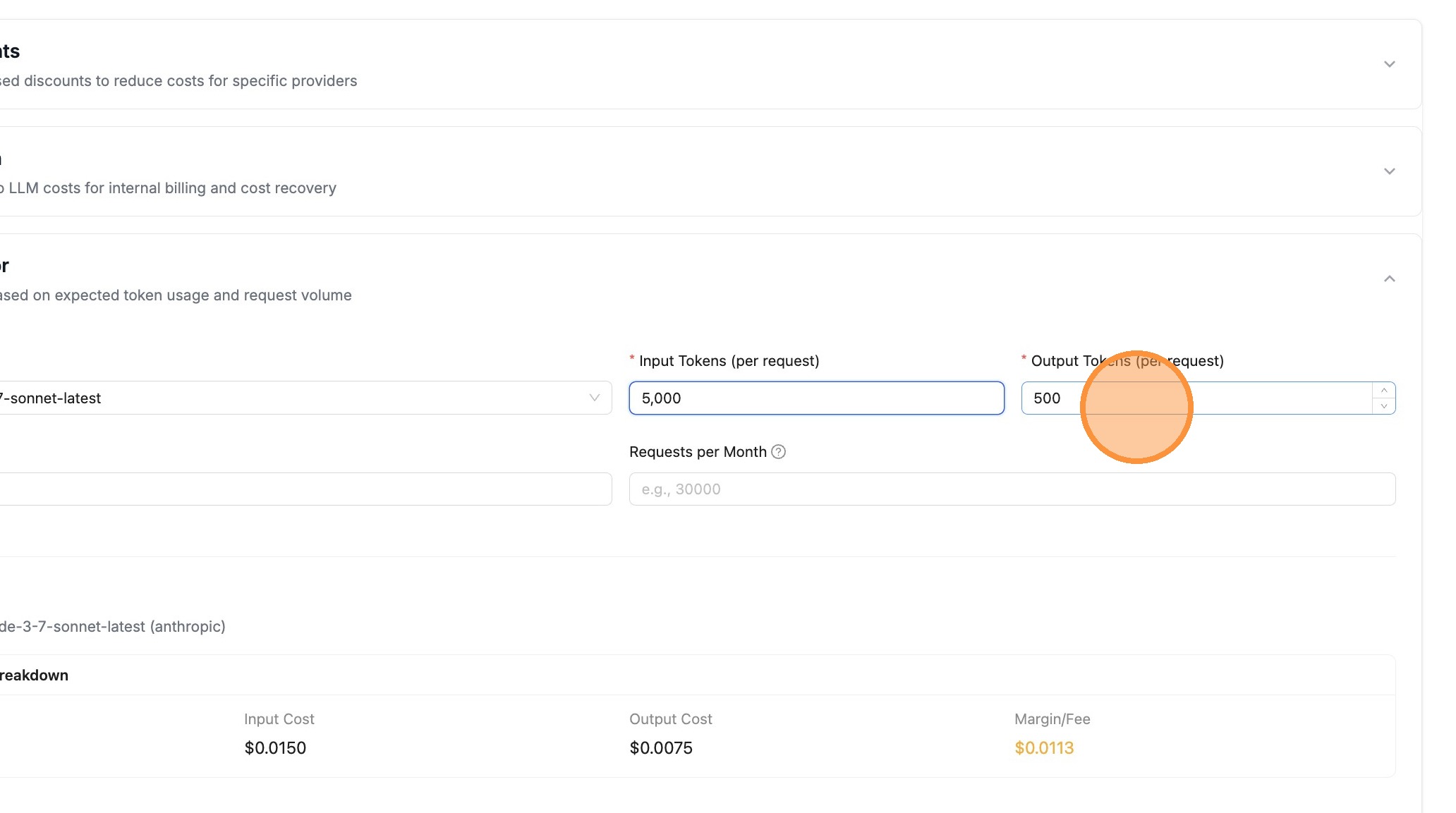
輸入預期的 Output Tokens (per request) - 這是模型回應中的平均 token 數。
步驟 6:設定請求量
輸入您預期的請求量。您可以指定 Requests per Day 和/或 Requests per Month。
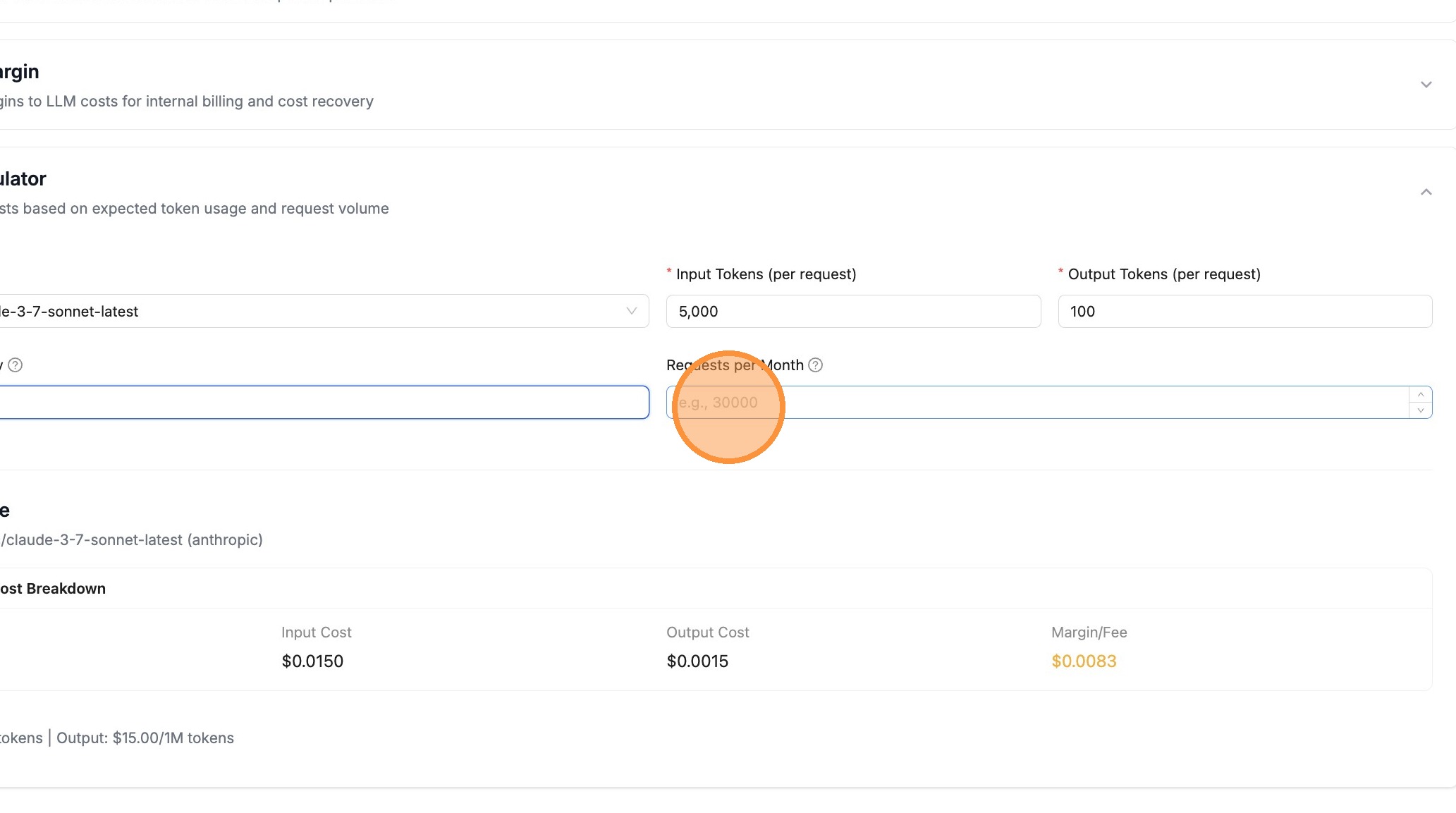
例如,輸入 10000000 代表每月 1,000 萬個請求。
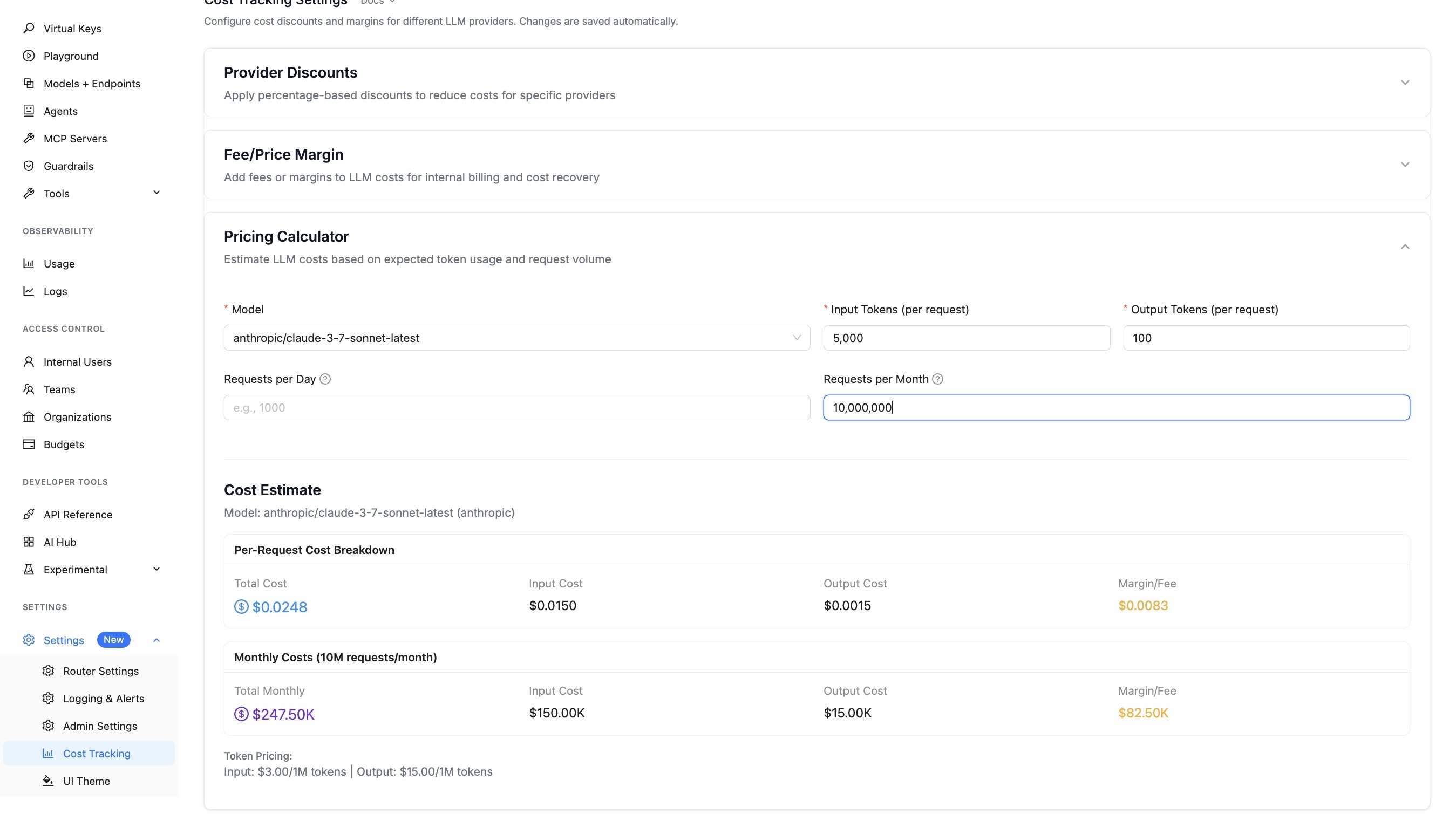
步驟 7:查看成本估算
您一變更數值,計算器就會自動更新。查看成本明細,包括:
- Per-Request Cost - 每個請求的總成本、輸入成本、輸出成本,以及利潤/費用
- Daily Costs - 如果您指定了每日請求數,則顯示彙總後的成本
- Monthly Costs - 如果您指定了每月請求數,則顯示彙總後的成本
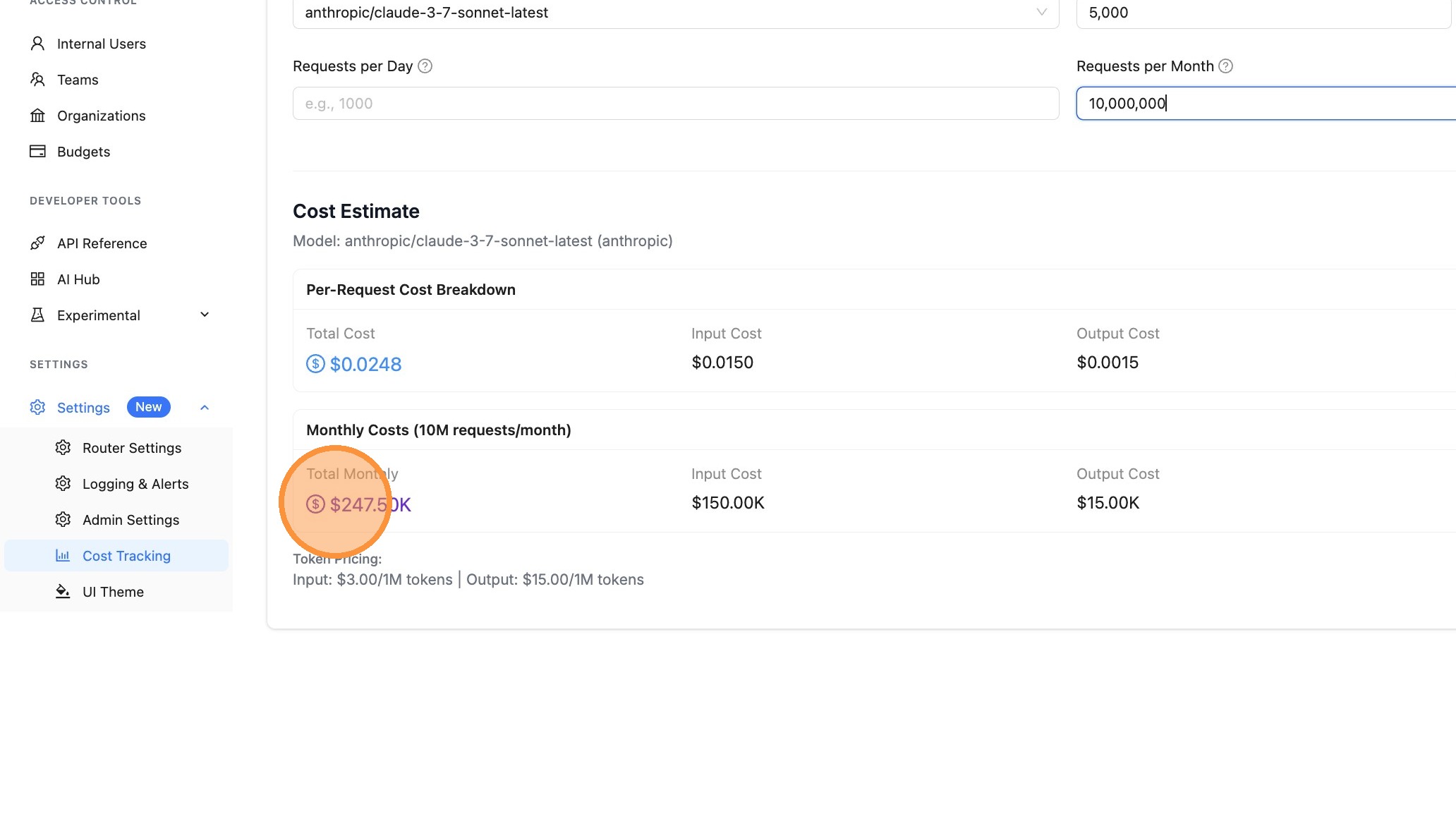
步驟 8:匯出報告
點擊 Export 按鈕下載您的成本估算。您可以匯出為:
- PDF - 開啟列印對話框以另存為 PDF(非常適合與利害關係人分享)
- CSV - 下載可供試算表使用的檔案,以便進一步分析
成本明細詳情
價格計算器會顯示:
| 欄位 | 說明 |
|---|---|
| Total Cost | 包含任何已設定利潤的完整成本 |
| Input Cost | 輸入/prompt token 的成本 |
| Output Cost | 輸出/completion token 的成本 |
| Margin/Fee | 任何已設定的 provider margins |
| Token Pricing | 每個 token 的費率(以 $/1M tokens 顯示) |
API 端點
您也可以使用 /cost/estimate 端點以程式化方式估算成本:
curl -X POST "http://localhost:4000/cost/estimate" \
  -H "Authorization: Bearer $LITELLM_API_KEY" \
  -H "Content-Type: application/json" \
  -d '{
    "model": "gpt-5.6-terra",
    "input_tokens": 1000,
    "output_tokens": 500,
    "num_requests_per_day": 1000,
    "num_requests_per_month": 30000
  }'
回應:
{
  "model": "gpt-5.6-terra",
  "input_tokens": 1000,
  "output_tokens": 500,
  "num_requests_per_day": 1000,
  "num_requests_per_month": 30000,
  "cost_per_request": 0.008,
  "input_cost_per_request": 0.002,
  "output_cost_per_request": 0.006,
  "margin_cost_per_request": 0.0,
  "daily_cost": 8.0,
  "daily_input_cost": 2.0,
  "daily_output_cost": 6.0,
  "daily_margin_cost": 0.0,
  "monthly_cost": 240.0,
  "monthly_input_cost": 60.0,
  "monthly_output_cost": 180.0,
  "monthly_margin_cost": 0.0,
  "input_cost_per_token": 2e-06,
  "output_cost_per_token": 1.2e-05,
  "provider": "openai"
}
相關功能
- Provider Margins - 為 LLM 成本加上費用或利潤
- Provider Discounts - 套用提供者成本折扣
- Cost Tracking - 追蹤與監控 LLM 支出

