Claude Code - 細粒度成本追蹤
使用 LiteLLM proxy 依照客戶或標籤追蹤 Claude Code 的使用量。這可用於精細的成本歸因,方便計費、預算控管與分析。
運作方式
Claude Code 支援透過 ANTHROPIC_CUSTOM_HEADERS 使用自訂標頭。LiteLLM 會自動追蹤帶有特定標頭的請求,以進行成本歸因。
為什麼要設定客戶端標頭
如果沒有設定,Claude Code 仍會自行進行客戶追蹤。它會在 metadata.user_id 中傳送每個工作階段的 JSON blob,而 LiteLLM 會將其視為客戶 ID,因此每個工作階段都會顯示為不同的客戶,並套用您已設定的任何預設客戶預算的各自副本。設定 x-litellm-customer-id 會覆寫這一行為,因為標頭會在任何請求本文欄位之前被檢查。如果您寧可讓該流量完全不帶任何客戶資訊,請參閱限制哪些 ID 會成為客戶。
追蹤選項
選擇您要如何歸因成本:
| 追蹤方式 | 標頭 | 使用情境 |
|---|---|---|
| 客戶 | x-litellm-customer-id | 向客戶收費、每位使用者預算 |
| 標籤 | x-litellm-tags | 專案追蹤、成本中心、環境 |
環境變數
| 變數 | 說明 | 範例 |
|---|---|---|
ANTHROPIC_BASE_URL | LiteLLM proxy URL | http://localhost:4000 |
ANTHROPIC_API_KEY | LiteLLM API 金鑰 | sk-<your-api-key> |
ANTHROPIC_CUSTOM_HEADERS | 自訂標頭(header-name: value 格式) | 請參閱下方範例 |
選項 1:依客戶追蹤
請用這個方式將成本歸因到特定客戶或終端使用者。
export ANTHROPIC_BASE_URL=http://localhost:4000
export ANTHROPIC_API_KEY=sk-<your-api-key>
export ANTHROPIC_CUSTOM_HEADERS="x-litellm-customer-id: claude-ishaan-local"
選項 2:依標籤追蹤
請用這個方式將成本歸因到專案、成本中心或環境。傳入以逗號分隔的標籤。
export ANTHROPIC_BASE_URL=http://localhost:4000
export ANTHROPIC_API_KEY=sk-<your-api-key>
export ANTHROPIC_CUSTOM_HEADERS="x-litellm-tags: project:acme,env:prod,team:backend"
快速開始
1. 設定環境變數
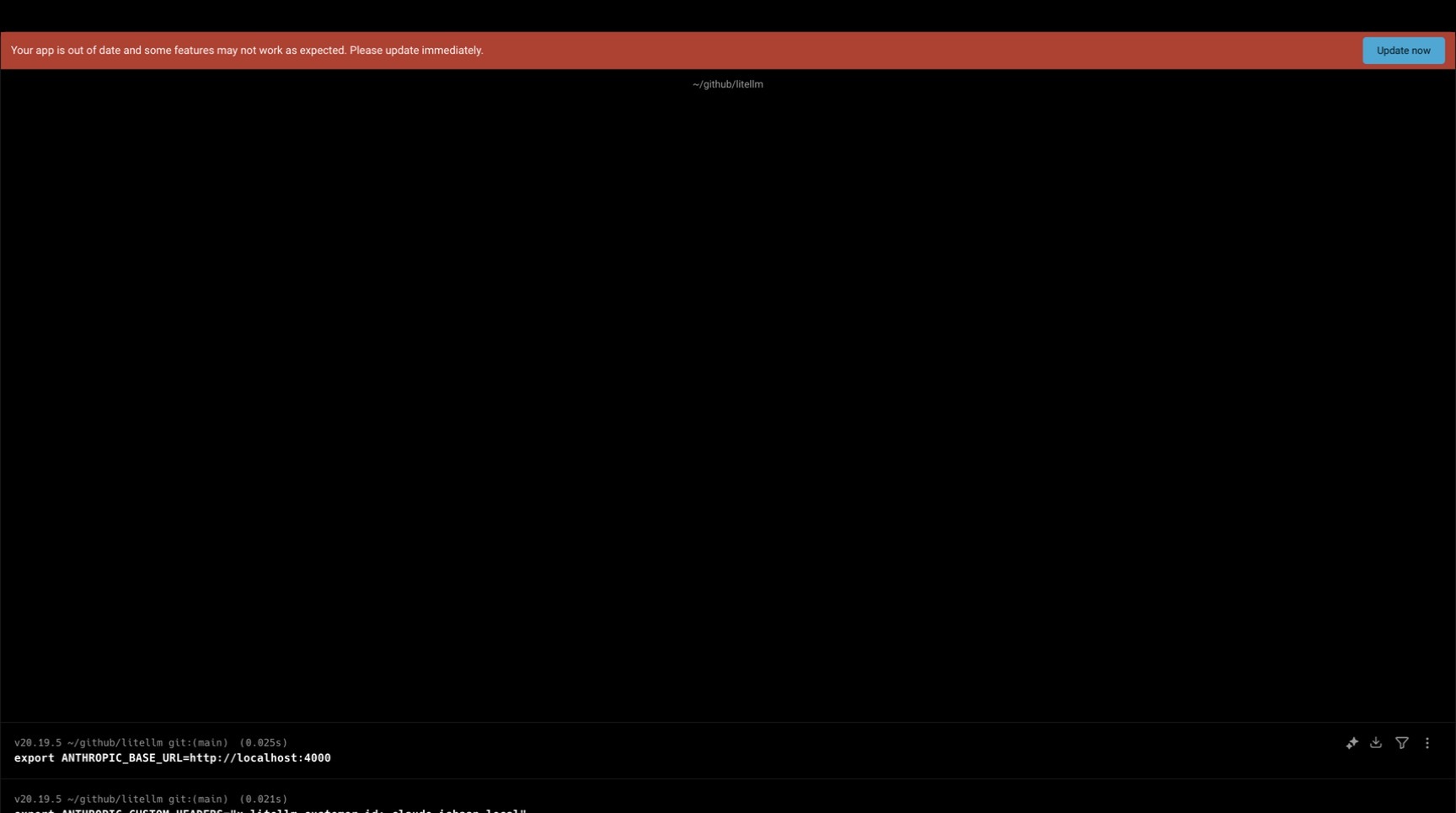
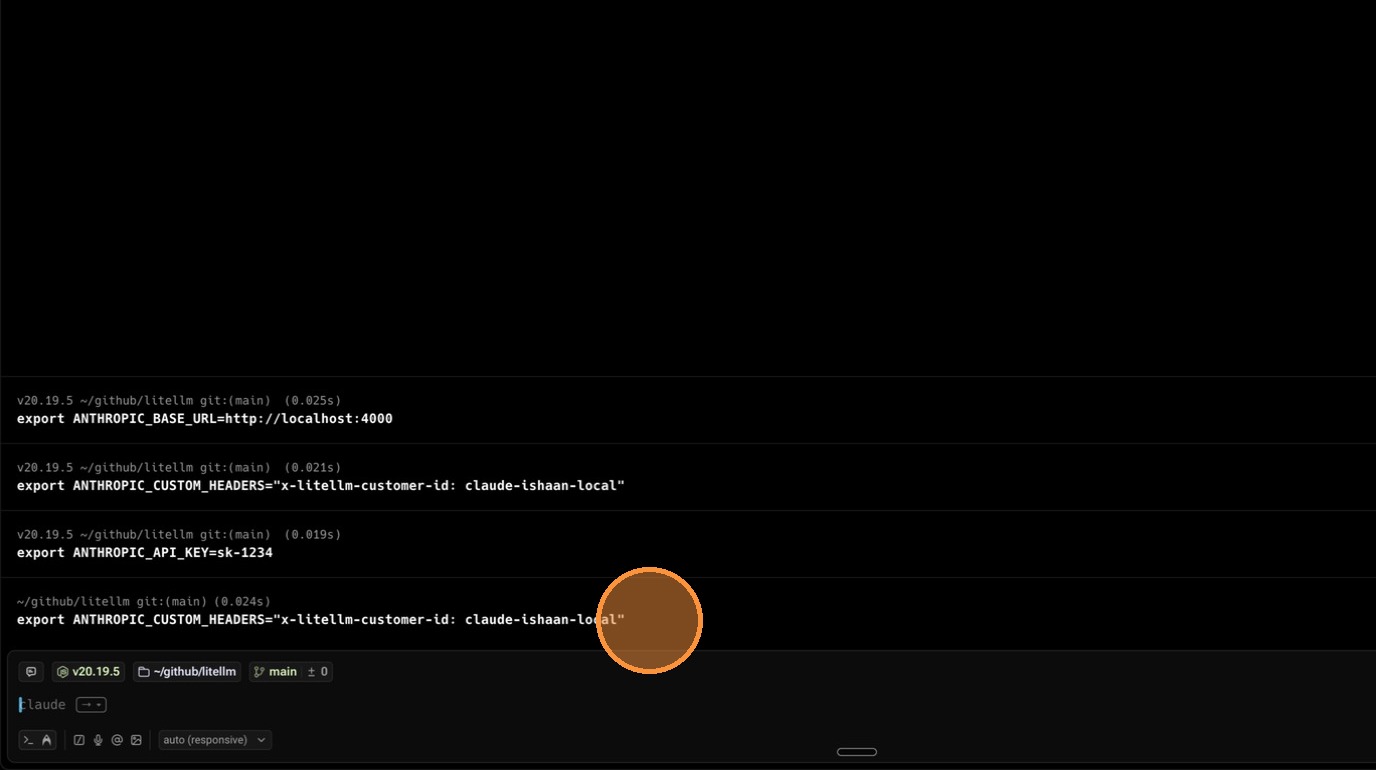
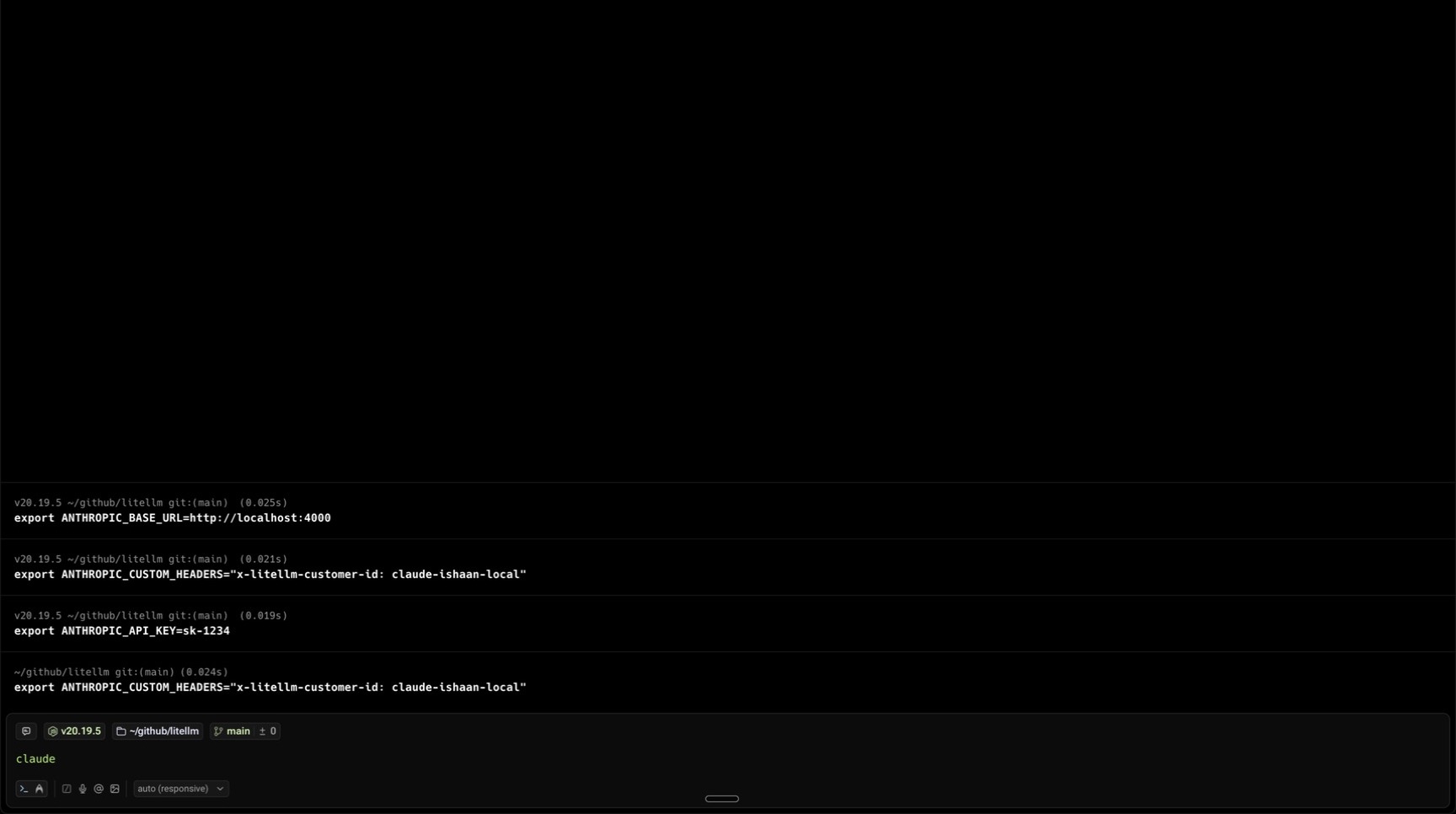
export ANTHROPIC_BASE_URL=http://localhost:4000
export ANTHROPIC_API_KEY=sk-<your-api-key>
export ANTHROPIC_CUSTOM_HEADERS="x-litellm-customer-id: claude-ishaan-local"
2. 使用 Claude Code
claude
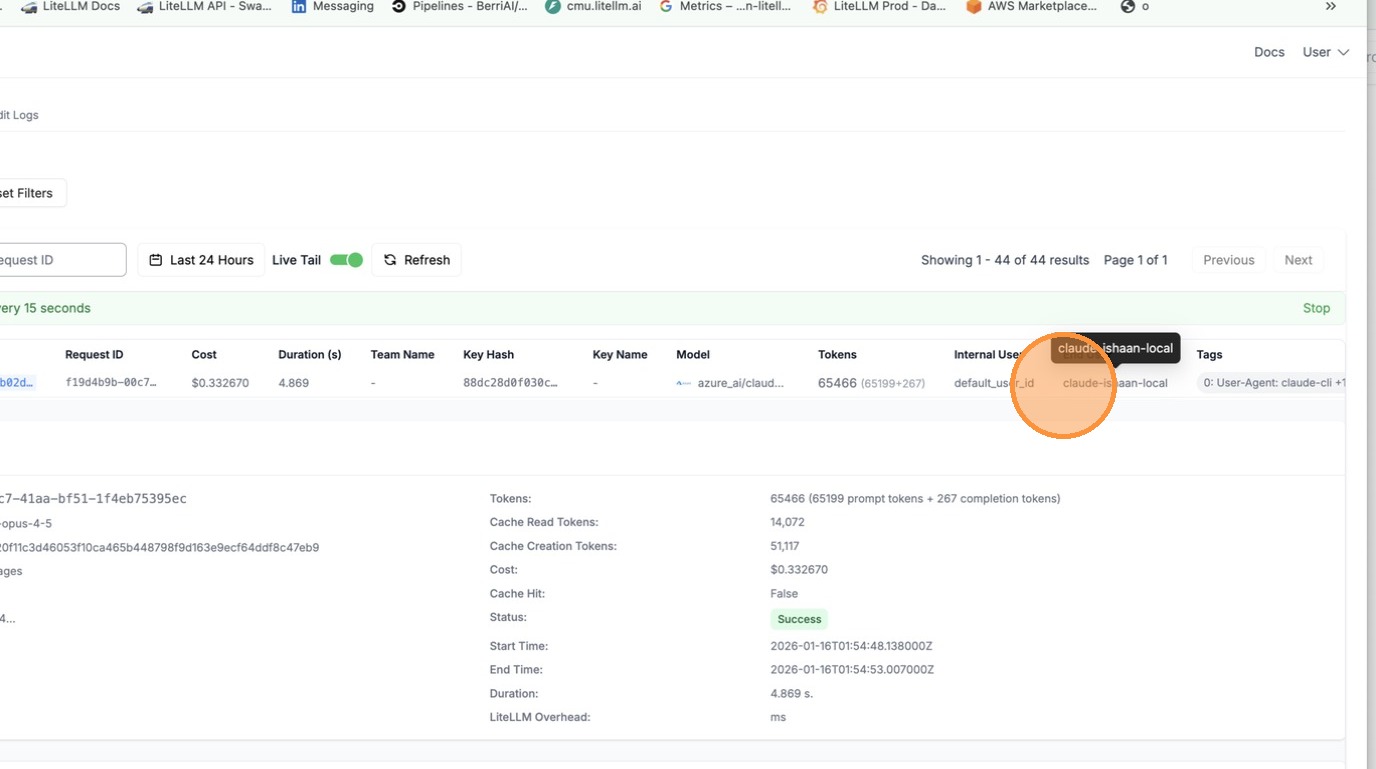
現在所有請求都會以客戶 ID claude-ishaan-local 進行追蹤。
3. 在 LiteLLM UI 中查看使用量
前往 LiteLLM UI 的 Logs 分頁。
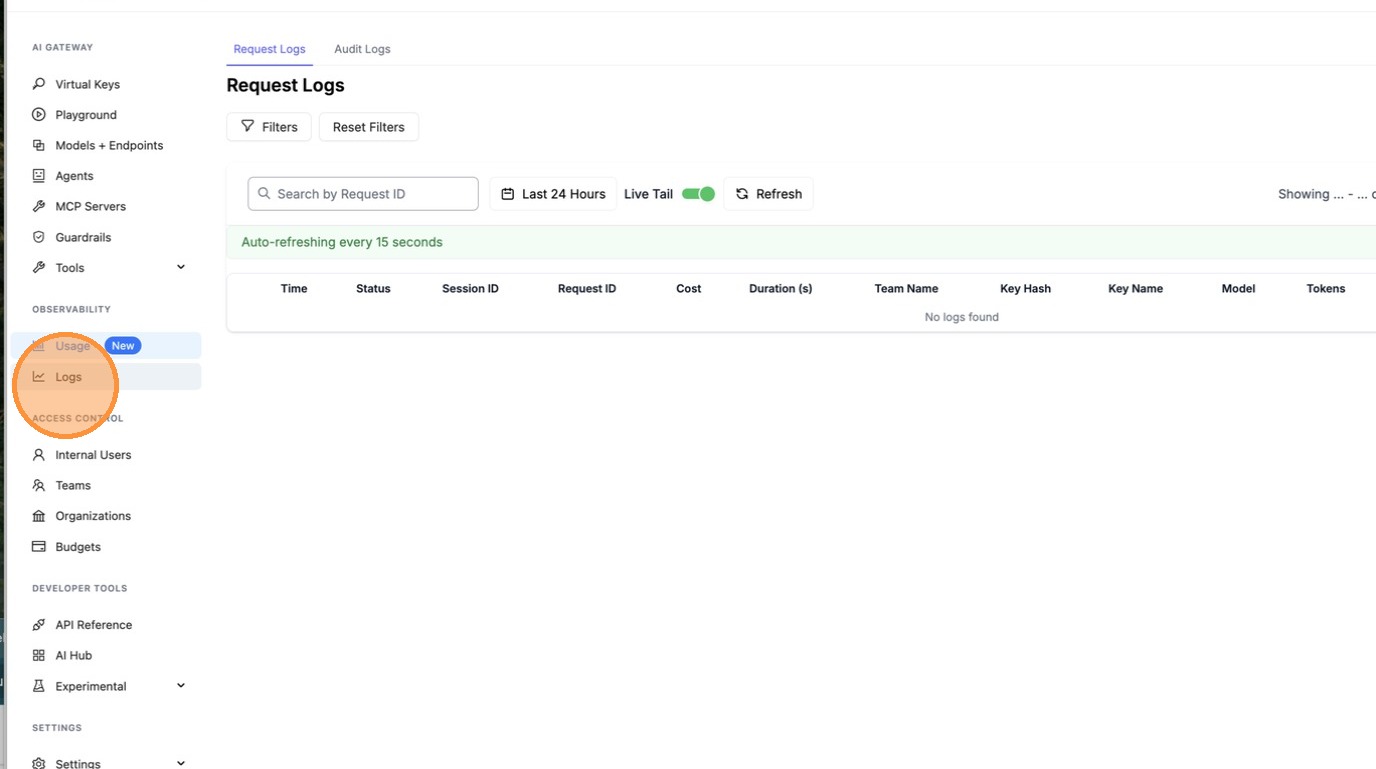
點選某個請求以查看詳細資訊。
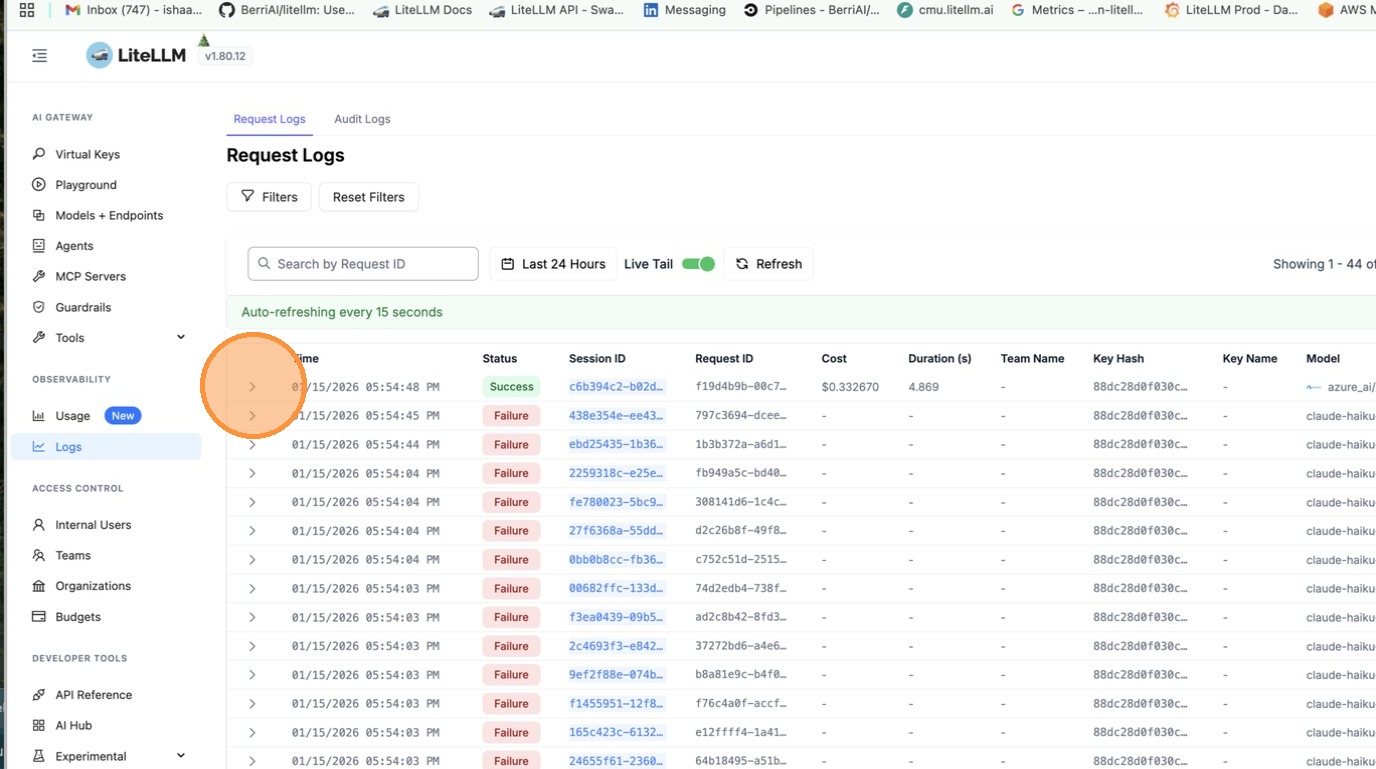
依客戶 ID 篩選,即可查看該客戶的所有請求。
支援的標頭
| 標頭 | 說明 |
|---|---|
x-litellm-customer-id | 依客戶/終端使用者 ID 追蹤 |
x-litellm-end-user-id | 替代客戶 ID 標頭 |
x-litellm-tags | 用於成本歸因的逗號分隔標籤 |

