Claude Code 外掛程式市集(Managed Skills)
LiteLLM AI Gateway 可作為 Claude Code 外掛程式的中央登錄中心。管理員可以治理組織內可用的外掛程式,而工程師則可以從單一來源探索並安裝已核准的外掛程式。
先決條件
- LiteLLM Proxy 已連接資料庫執行中
- 可存取 LiteLLM UI 的管理員權限
- 託管於 GitHub、GitLab、任何可透過 git 存取的 URL,或位於 HTTPS 主機上的 zip 壓縮檔中的外掛程式
管理員指南:管理 Marketplace
步驟 1:前往 Skills
在 LiteLLM 管理 UI 中,點選左側導覽選單中的 Skills。只有 proxy 管理員可以新增、編輯、啟用、停用或刪除外掛程式。
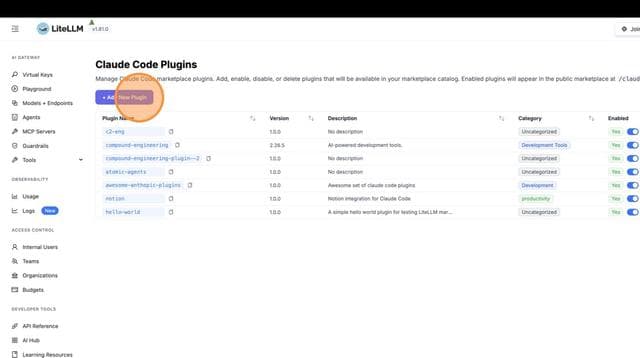
步驟 2:檢視外掛程式清單
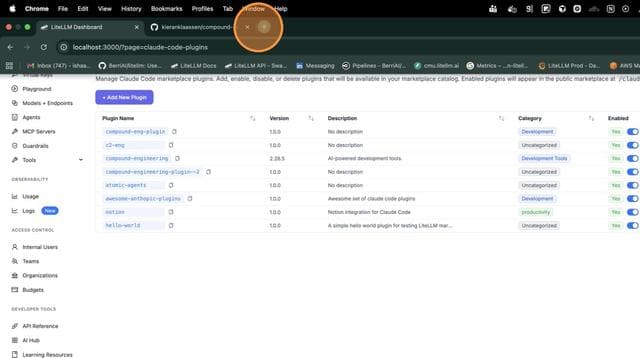
您會看到所有已註冊外掛程式的清單。您可以在此新增、啟用、停用或刪除外掛程式。
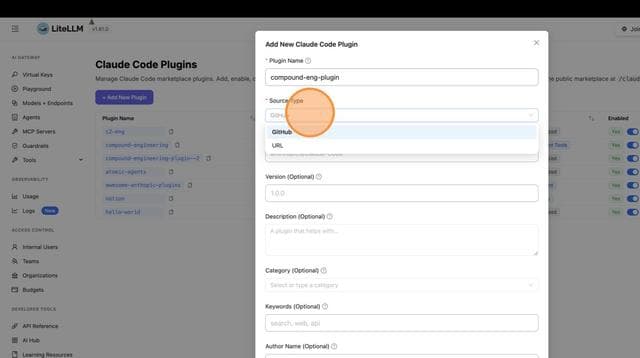
步驟 3:新增外掛程式
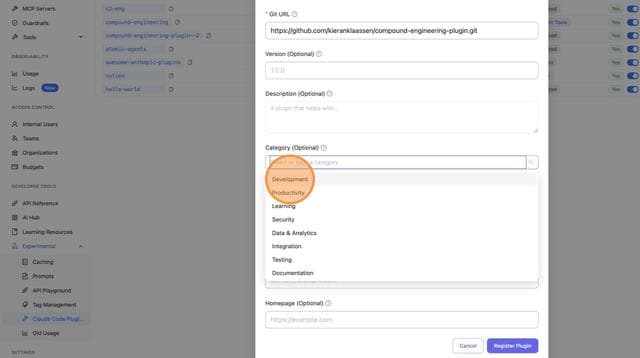
點選 + Add Skill,即可在您的 marketplace 中註冊外掛程式。
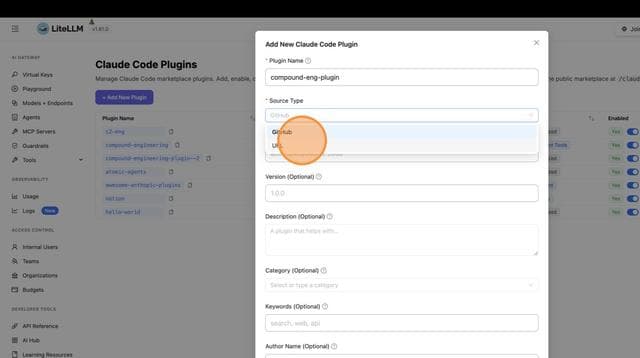
步驟 4:填入外掛程式詳細資訊
先貼上來源 URL。它可以是 GitHub URL、透過 HTTPS 或 SSH 的 git clone URL、指向子目錄的 tree/<branch>/<path> 連結,或指向 zip 檔案的 HTTPS 連結。LiteLLM 會偵測來源類型並建議名稱。接著填入名稱(kebab-case,例如 my-plugin)以及任何選填欄位:domain、namespace、description、category、keywords、version 和 author。
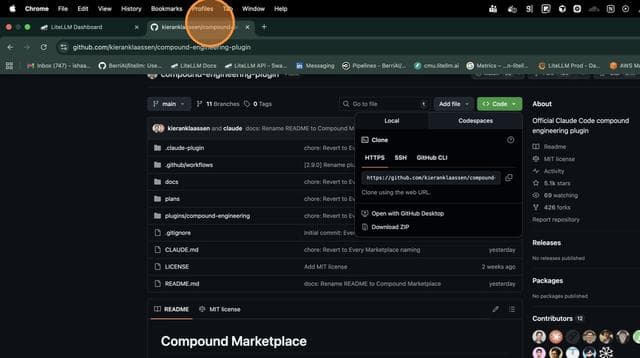
步驟 5:提交外掛程式
填妥詳細資訊後,點選 Add Skill 以完成註冊。
步驟 6:啟用/停用外掛程式
新增的外掛程式會在加入後立即啟用。切換外掛程式的開啟或關閉,以控制哪些內容會顯示在公開 marketplace 中。已啟用的外掛程式對所有人可見。已停用的外掛程式只會對透過 Allowed Skills(object_permission.skills)被授權的金鑰或團隊可見,如 Private skills 所述。
工程師指南:安裝外掛程式
步驟 1:新增 LiteLLM Marketplace
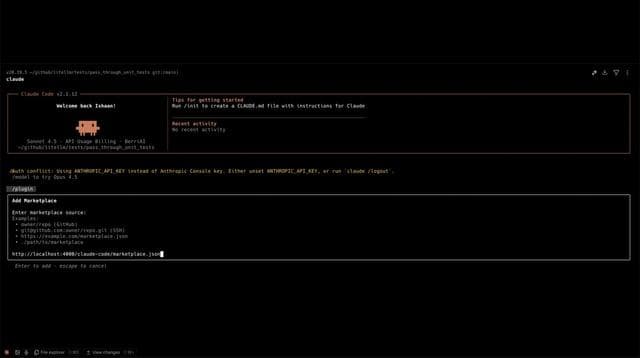
將您公司的 LiteLLM marketplace 新增到 Claude Code:
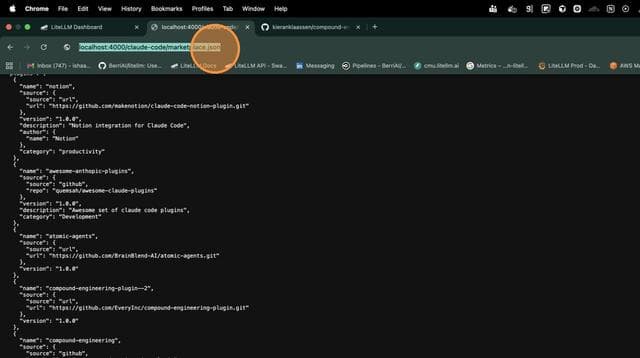
claude plugin marketplace add http://your-litellm-proxy:4000/claude-code/marketplace.json
如果您已獲授私有外掛程式,請加入您的金鑰,它們也會顯示出來:
claude plugin marketplace add "http://your-litellm-proxy:4000/claude-code/marketplace.json?key=sk-..."
步驟 2:瀏覽可用外掛程式
在 Claude Code 中執行 /plugin,即可從 litellm marketplace 瀏覽外掛程式,或從 proxy 列出它們:
curl http://your-litellm-proxy:4000/claude-code/marketplace.json
步驟 3:安裝外掛程式
從 marketplace 安裝任何外掛程式:
claude plugin install my-plugin@litellm
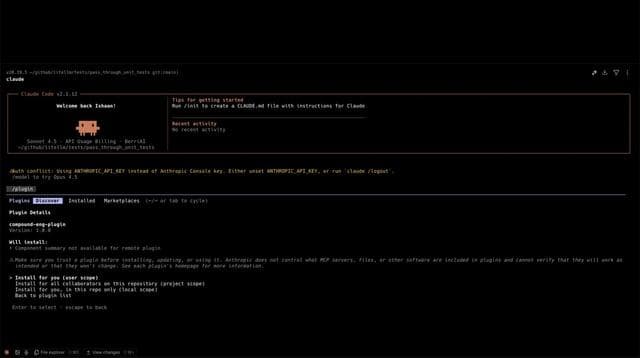
步驟 4:驗證安裝
外掛程式現已安裝完成並可使用:
API 參考
公開端點(不需要驗證)
GET /claude-code/marketplace.json
回傳供 Claude Code 探索使用的 marketplace 目錄。若沒有金鑰,會列出已啟用的外掛程式。使用 ?key=sk-... 時,也會列出授權給該金鑰或其團隊的已停用外掛程式。
curl http://localhost:4000/claude-code/marketplace.json
回應:
{
  "name": "litellm",
  "owner": {
    "name": "LiteLLM",
    "email": "support@litellm.ai"
  },
  "plugins": [
    {
      "name": "my-plugin",
      "source": {
        "source": "github",
        "repo": "org/my-plugin"
      },
      "version": "1.0.0",
      "description": "My awesome plugin",
      "category": "productivity",
      "keywords": ["automation", "tools"]
    }
  ]
}
管理端點(需要驗證)
以下每個寫入端點都需要 proxy 管理員金鑰,且會拒絕任何其他金鑰並回傳 401 或 403。讀取端點接受任何金鑰,並且只會回傳對其可見的外掛程式。
POST /claude-code/plugins
註冊新的外掛程式。這只會建立;若名稱已存在,則會回傳 409。
curl -X POST http://localhost:4000/claude-code/plugins \
  -H "Authorization: Bearer sk-..." \
  -H "Content-Type: application/json" \
  -d '{
    "name": "my-plugin",
    "source": {"source": "github", "repo": "org/my-plugin"},
    "version": "1.0.0",
    "description": "My awesome plugin",
    "category": "productivity",
    "keywords": ["automation", "tools"]
  }'
GET /claude-code/plugins
列出呼叫端可見的外掛程式:如果是 proxy 管理員,則顯示全部;否則顯示已啟用的外掛程式以及授權給該金鑰的外掛程式。加入 ?enabled_only=true 可僅回傳已啟用的外掛程式。
curl http://localhost:4000/claude-code/plugins \
  -H "Authorization: Bearer sk-..."
GET /claude-code/plugins/{name}
取得單一外掛程式。若是未授權給呼叫端的已停用外掛程式,則回傳 403。
curl http://localhost:4000/claude-code/plugins/my-plugin \
  -H "Authorization: Bearer sk-..."
PUT /claude-code/plugins/{name}
取代既有的外掛程式。名稱來自路徑,且無法變更。這是完整取代,因此未提供的欄位會重設為預設值,若省略 version,則會清除它。
curl -X PUT http://localhost:4000/claude-code/plugins/my-plugin \
  -H "Authorization: Bearer sk-..." \
  -H "Content-Type: application/json" \
  -d '{
    "source": {"source": "github", "repo": "org/my-plugin"},
    "version": "1.1.0",
    "description": "My awesome plugin, now with more tools",
    "category": "productivity",
    "keywords": ["automation", "tools"]
  }'
POST /claude-code/plugins/{name}/enable
啟用外掛程式。
curl -X POST http://localhost:4000/claude-code/plugins/my-plugin/enable \
  -H "Authorization: Bearer sk-..."
POST /claude-code/plugins/{name}/disable
停用外掛程式。
curl -X POST http://localhost:4000/claude-code/plugins/my-plugin/disable \
  -H "Authorization: Bearer sk-..."
DELETE /claude-code/plugins/{name}
刪除外掛程式。
curl -X DELETE http://localhost:4000/claude-code/plugins/my-plugin \
  -H "Authorization: Bearer sk-..."
外掛程式來源格式
- GitHub
- Git URL
- Git Subdir
- Zip Archive
{
  "name": "my-plugin",
  "source": {
    "source": "github",
    "repo": "organization/repository"
  }
}
{
  "name": "my-plugin",
  "source": {
    "source": "url",
    "url": "https://github.com/org/repo.git"
  }
}
GitLab、Bitbucket 或自架 git 儲存庫請使用此格式。
{
  "name": "my-plugin",
  "source": {
    "source": "git-subdir",
    "url": "https://github.com/org/repo.git",
    "path": "plugins/my-plugin"
  }
}
當您的外掛程式位於 git 儲存庫的子目錄時,請使用此格式。path 欄位必須是以斜線分隔的相對路徑片段(僅限英數字元、點、連字號、底線)。
{
  "name": "my-plugin",
  "source": {
    "source": "archive",
    "url": "https://bucket.s3.amazonaws.com/plugins/my-plugin.zip",
    "sha256": "<optional 64-character hex digest>"
  }
}
若外掛程式是以 zip 檔形式封裝於任何 HTTPS 主機上,例如 S3,請使用此格式。url 必須使用 HTTPS,而 sha256 在設定時必須是該封存檔的 64 字元十六進位摘要。
範例:設定內部外掛程式 Marketplace
1. 建立內部外掛程式
建立您的外掛程式儲存庫結構:
my-company-plugin/
├── plugin.json          # Plugin manifest
├── SKILL.md            # Main skill file
├── skills/             # Additional skills
│   └── helper.md
└── README.md
2. 透過 API 註冊外掛程式
# Register your internal tools plugin
curl -X POST http://localhost:4000/claude-code/plugins \
  -H "Authorization: Bearer $LITELLM_MASTER_KEY" \
  -H "Content-Type: application/json" \
  -d '{
    "name": "internal-tools",
    "source": {"source": "github", "repo": "mycompany/internal-tools"},
    "version": "1.0.0",
    "description": "Internal development tools and utilities",
    "author": {"name": "Platform Team", "email": "platform@mycompany.com"},
    "category": "internal",
    "keywords": ["internal", "tools", "utilities"]
  }'
3. 在 Claude Code 中使用
將 marketplace URL 傳送給工程師:
# One-time setup for each engineer
claude plugin marketplace add http://litellm.internal.company.com/claude-code/marketplace.json

# Install company plugins
claude plugin install internal-tools@litellm
疑難排解
外掛程式未出現在 marketplace 中:
- 確認外掛程式在管理 UI 中已啟用,或已授權給您的金鑰,且您已使用
?key=加入 marketplace - 執行
claude plugin marketplace update litellm以重新整理目錄的本機副本
安裝失敗:
- 確認 git 儲存庫可從工程師的電腦存取
- 對於私有儲存庫,工程師需要設定適當的 git 認證
- 對於
git-subdir來源,請檢查path是否與儲存庫中的 skill 目錄一致;否則 Claude Code 會回報Subdirectory '<path>' not found
資料庫錯誤:
- 驗證 LiteLLM proxy 已連接到資料庫
- 檢查 proxy 記錄以取得詳細錯誤訊息

